Best BundleHunt Mac Apps: A Practical Buying Guide
A practical guide to useful BundleHunt Mac app categories, example products, licensing checks, compatibility, and avoiding bad software deals.
Disclosure: WealthLab.life may earn a commission if you purchase through the BundleHunt link on this page, at no additional cost to you. This guide is based on published product information, not paid placement or hands-on testing of every listed app.
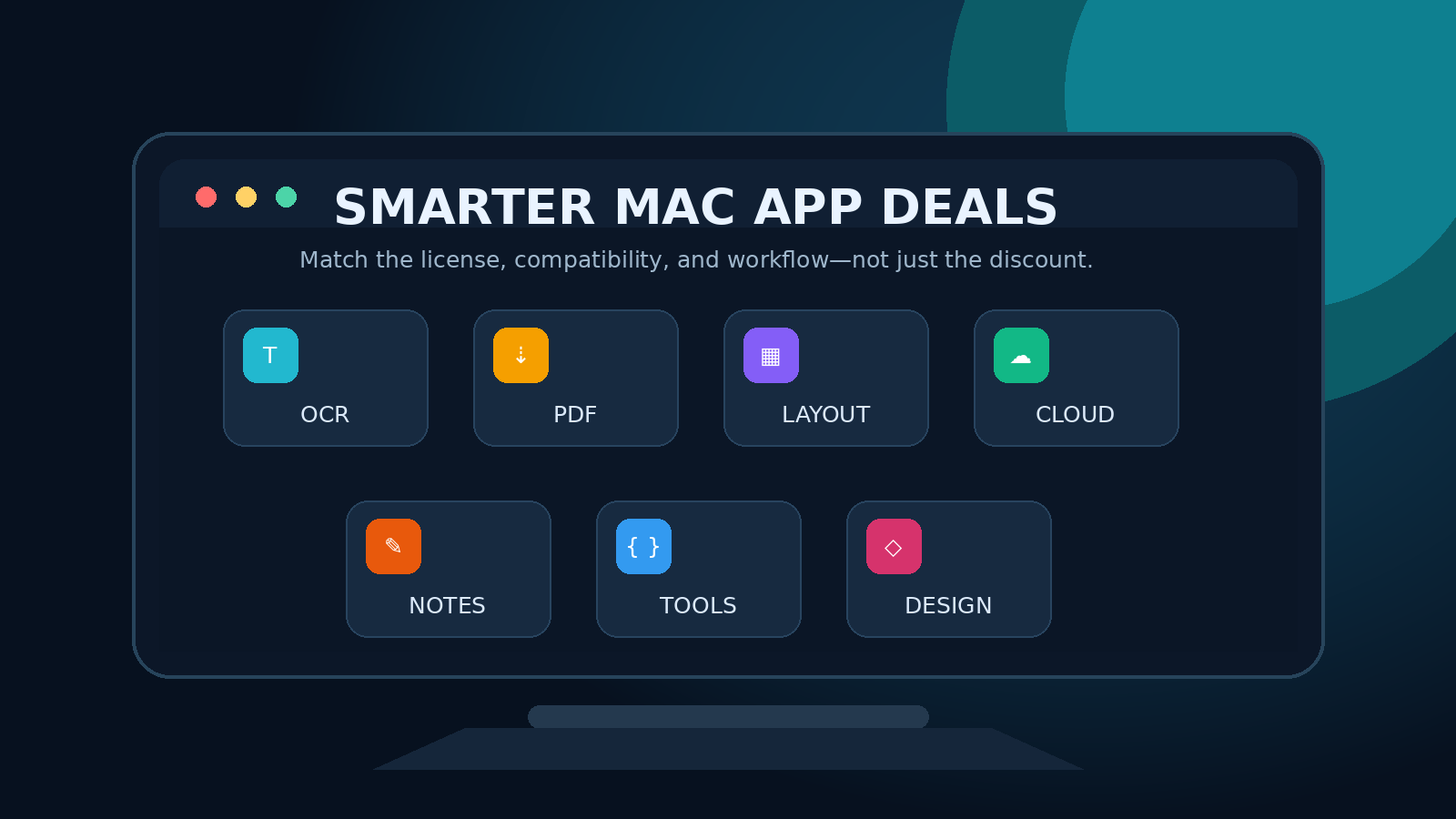
BundleHunt is a marketplace for discounted Mac software, including utilities, productivity tools, design apps, developer tools, and occasional build-your-own bundles. The useful question is not simply which app has the largest discount. It is whether the license, macOS compatibility, update policy, and workflow fit justify buying the app at all.
This guide highlights useful product categories and examples that were listed when checked on September 4, 2026. Availability and terms can change quickly, so treat the examples as a shortlist to investigate—not a permanent ranking.
Quick answer: who should use BundleHunt?
BundleHunt is most useful for Mac users who already know the problem they want to solve and are comfortable buying software directly from developers rather than only through the Mac App Store. It may be a good fit if you need a focused utility such as OCR, PDF compression, remote-file mounting, window management, or a Markdown editor.
It is a poor fit when a discount is the only reason you are considering an app, when the product page does not clearly answer your compatibility or licensing questions, or when you need an organization-wide procurement and support agreement.
Browse the current BundleHunt Mac app catalog, then use the checks below before purchasing.
How BundleHunt works
BundleHunt says its applications and licenses come directly from software developers. Its FAQ describes immediate access to downloads and license keys after purchase, plus an account area for retrieving purchased software later. Some campaigns use a build-your-own-bundle format, while the regular catalog also offers individual app deals.
That model can make legitimate Mac software more affordable, but each app remains a separate product. Do not assume that every listing has the same device allowance, update entitlement, support period, activation method, or minimum macOS version.
1. Remote files and cloud storage
Mountain Duck 5
Mountain Duck mounts remote storage as a volume in Finder, using Cyberduck technology. This category is relevant when you work with SFTP servers, object storage, or other remote files and prefer Finder integration over manually uploading and downloading through a web interface.
Before buying, verify that your exact storage provider and authentication method are supported. Also decide whether on-demand access is appropriate for large files, unreliable connections, or workflows that need a fully local copy.
2. OCR and text capture
TextSniper and LudyLens
OCR utilities capture text from screenshots, images, PDFs, videos, or interface elements that do not allow normal selection. They can save time when transcribing error messages, extracting a serial number, or copying a small table from a visual source.
TextSniper and LudyLens were both listed in BundleHunt's OCR category when checked. Compare supported languages, offline processing, keyboard shortcuts, formatting retention, and privacy behavior. OCR is never perfectly accurate, so review extracted text before using it in commands, financial data, or credentials.
3. PDF and Office-file compression
PDF Squeezer and NXPowerLite Desktop 11
PDF Squeezer focuses on reducing PDF file sizes, while NXPowerLite advertises compression for PDFs, Microsoft Office files, JPEGs, and PNGs. This category can help when email attachment limits, upload speed, or archival storage matter.
The trade-off is quality. Test a copy of a representative document before processing important originals, especially scanned pages, diagrams, print-ready artwork, or files with small text. Check whether batch processing and the supported formats match your actual workload.
4. Window management
ScreenPlace
ScreenPlace is designed to remember and restore window positions. That can be valuable for users with multiple monitors or repeated workspaces—for example, a browser on one display, documentation on another, and a terminal on a third.
Check behavior across monitor disconnections, resolution changes, Spaces, full-screen apps, and the macOS version you use. A window utility should reduce setup friction without becoming another fragile dependency.
5. macOS settings and power-user controls
MacPilot and Mainspring
MacPilot and Mainspring expose macOS settings through graphical controls. These tools appeal to users who want discoverable switches or repeatable configuration recipes instead of entering commands in Terminal.
Convenience does not remove operational risk. Before changing a system setting, understand what it controls, confirm an undo path, and avoid applying a large recipe without reviewing each change. Settings utilities can also become less reliable after major macOS releases, so compatibility and update history matter.
6. Notes, Markdown, and writing
SideNotes, Markdown+, and Markdown + Text and LaTeX Editor
BundleHunt lists several writing tools aimed at different workflows. SideNotes emphasizes quick notes at the edge of the screen. Markdown-oriented editors target structured plain-text writing, previews, and—in some products—LaTeX or formula support.
Choose based on file ownership and portability. Prefer tools that let you keep usable local files in common formats. Check export options, sync behavior, backup location, search, attachments, and whether advanced features require a separate service or subscription.
7. Developer utilities
Stargazer, JSON Wizard, and RegEx Wizard
Developer-focused products can be worthwhile when they remove repeated friction. Stargazer is positioned around searching and organizing starred repositories. JSON and regular-expression tools provide focused interfaces for inspecting data or testing patterns.
Evaluate whether the app saves meaningful time compared with your editor, browser tools, or open-source alternatives. For utilities that process repository metadata or code, verify what data leaves the Mac and whether cloud or AI features are optional.
8. Fonts, graphics, and photo workflows
Fontpeek, Specimen, and Orbit Studio
Font tools can help designers preview and organize typefaces, while graphics and photo utilities target narrower creative tasks. A focused app can be better value than a large suite when you repeatedly perform one operation.
For creative software, confirm supported file formats, color-management behavior, export resolution, commercial-use restrictions for included assets, and compatibility with your current project files. A cheap app is expensive if it locks work into an unusable format.
For a product-by-product audit, use the BundleHunt license and compatibility checklist before checkout.
Buying checklist: verify these before checkout
- Problem fit: write down the task the app must solve and how often you perform it.
- macOS compatibility: check the minimum and maximum supported versions, plus Apple silicon support where relevant.
- License type: distinguish perpetual licenses, fixed-term plans, subscriptions, and limited upgrade entitlements.
- Device allowance: confirm how many Macs may use the license and whether transfers are supported.
- Updates: determine whether the purchase includes only the current major version or future upgrades.
- Activation: understand whether the app needs an account, internet activation, or a developer-hosted service.
- Developer quality: inspect the developer's support page, release history, documentation, and privacy policy.
- Final total: review the checkout total and service fee rather than relying only on the displayed discount.
- Recovery: save the receipt and record where downloads and license keys can be retrieved.
How to compare a deal with the regular price
Open the developer's official product page in a separate tab and compare the same edition, license duration, device count, and upgrade terms. A percentage discount is only meaningful when the products are equivalent. Also compare free trials, free alternatives, educational pricing, and whether the built-in macOS feature already handles your use case.
Do not buy several overlapping utilities simply because they are inexpensive. One maintained app that fits your workflow is generally better than a folder of unused licenses.
Verdict
BundleHunt can be a useful discovery and purchasing channel for focused Mac utilities. The strongest candidates are products tied to a clear recurring task: mounting remote files, capturing inaccessible text, compressing documents, restoring window layouts, or improving a writing workflow.
The best deal is not automatically the largest markdown. Verify compatibility and license terms first, compare the developer's normal offer, and buy only when the product solves a real problem.
See the current BundleHunt catalog and available Mac app deals. WealthLab may earn a commission from a qualifying purchase through this link.
Sources and verification notes
- BundleHunt app catalog
- BundleHunt FAQ: licensing, delivery, fees, and account downloads
- BundleHunt company and marketplace overview
- BundleHunt software categories
- WealthLab affiliate disclosure
- WealthLab editorial methodology
Official BundleHunt pages reviewed September 4, 2026. Product availability, prices, compatibility, and licensing terms can change; verify the current listing and developer documentation before purchasing.