BundleHunt License & Compatibility Checklist Before You Buy
Audit a BundleHunt Mac app's compatibility, license term, devices, updates, activation, privacy, final price, and recovery path before buying.
Disclosure: WealthLab.life may earn a commission if you purchase through the BundleHunt link on this page, at no additional cost to you. This checklist is based on published merchant and developer information, not hands-on testing of every app.
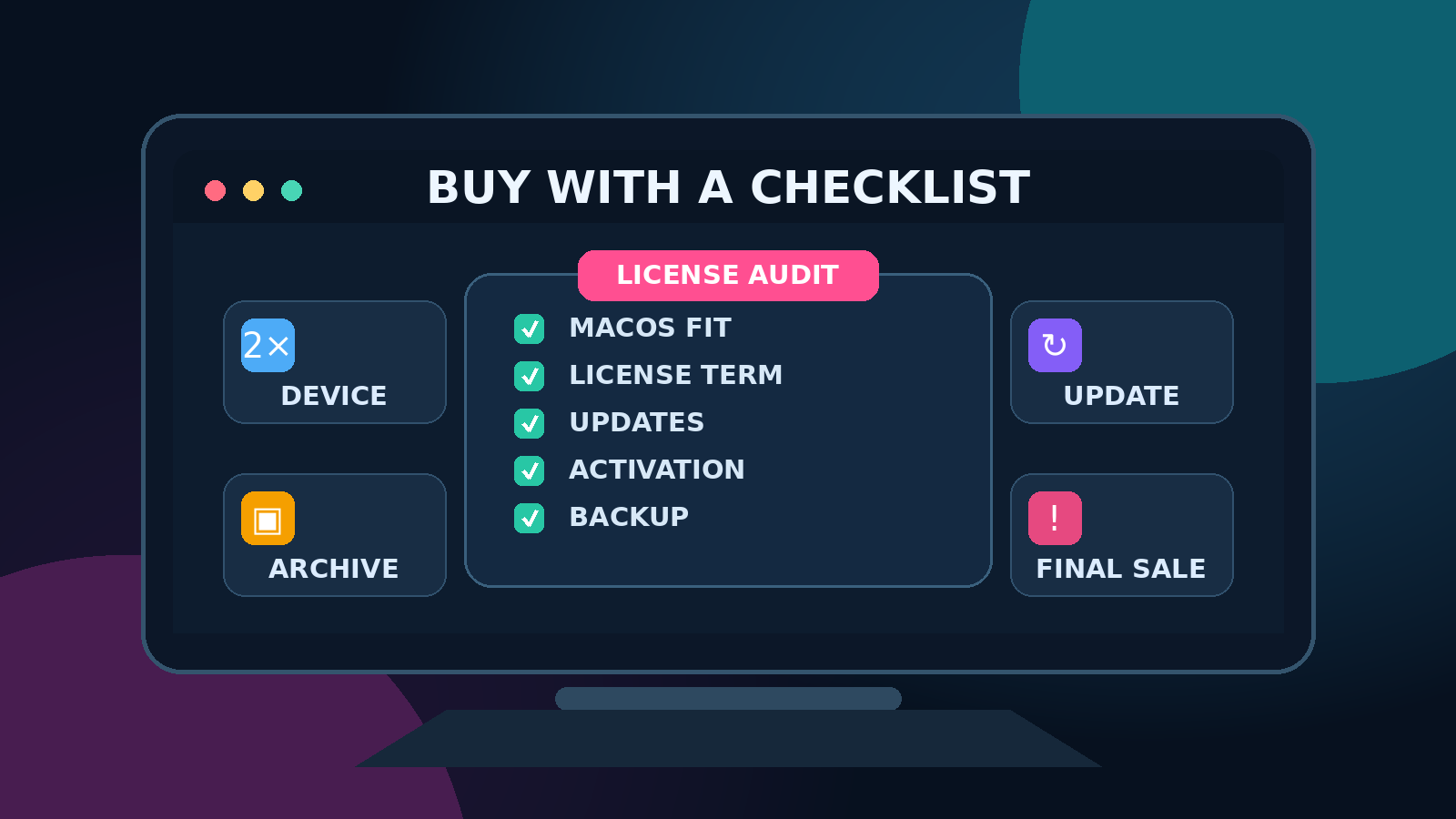
Before buying a BundleHunt Mac app, verify the exact license term, supported macOS versions, Apple silicon compatibility, device allowance, update entitlement, activation method, and recovery path. BundleHunt's terms say all sales are final, so the safest time to resolve uncertainty is before checkout—not after receiving a license key.
This guide is deliberately different from our BundleHunt Mac app buying guide. That article helps you identify useful software categories; this one is a repeatable pre-purchase audit for a specific deal.
Quick answer: the 10-minute pre-purchase audit
- Write down the exact app name, edition, version, license duration, and advertised device count.
- Open the developer's official product and system-requirements pages.
- Confirm your macOS version and whether the app supports Apple silicon natively or through Rosetta.
- Test the developer's trial with a representative file or workflow whenever one is available.
- Check whether the purchase is perpetual, annual, subscription-based, or tied to one major version.
- Verify update and paid-upgrade rules on the developer's site.
- Confirm activation, account, internet, and cloud-service requirements.
- Compare the same edition and term with the developer's direct offer.
- Review the final checkout total, including BundleHunt's stated service fee.
- Plan to save the receipt, installer, license key, and terms immediately after purchase.
If any material field remains unclear, ask the developer or BundleHunt support before paying. A large percentage discount does not compensate for an unusable license.
Browse the current BundleHunt catalog only after you know what problem the app must solve and which license terms you need.
1. Identify the exact product—not just the app name
Two offers with the same product name may not be economically equivalent. One can be a perpetual license for the current major version, another a one-year plan, and another a reduced-feature edition. Capture the listing title, developer, platform, edition, version, duration, device count, and included services before comparing prices.
Take a screenshot or save a PDF of the listing and the developer's applicable license page. This gives you a record of what you evaluated if the catalog changes later. Do not assume a listing badge such as “latest version” answers how long future updates remain included.
2. Test the trial before a final sale
BundleHunt's published Terms of Service state that all sales are final and advise buyers to try developer-provided trial versions. Treat that as an operational requirement. Install the trial from the developer's official website—not an unrelated download mirror—and test the exact workflow that justifies the purchase.
- Open a representative file and complete the full task, including export.
- Test the feature that matters most rather than only launching the app.
- Check performance on your actual Mac and available storage.
- Confirm required permissions are acceptable.
- Verify the output can still be used without the app where portability matters.
A trial may differ from the licensed build or restrict saving, but it should reveal compatibility, interface fit, permission requirements, and obvious workflow problems. If no trial is available, the uncertainty is higher; seek written clarification before purchase.
3. Verify macOS and hardware compatibility
Record your Mac model, chip, macOS version, free storage, and any peripherals the workflow depends on. Then compare them with the developer's current system requirements. A marketplace listing can become stale after a major macOS release, while the developer's release notes usually provide more specific evidence.
Apple silicon versus Intel
On an Apple silicon Mac, determine whether the app is universal/native, Intel-only under Rosetta, or dependent on extensions that have separate compatibility rules. Rosetta compatibility can be adequate, but it is not the same as native support. For system utilities, backup tools, drivers, screen recorders, and security software, check every privileged component—not only the main app.
Upper and lower OS limits
Minimum requirements matter on older Macs, while maximum tested versions matter after a new macOS release. “Requires macOS 12 or later” does not necessarily prove that the app has been tested on the newest release. Search the official changelog and support pages for the specific version you run.
4. Decode the license term and device allowance
BundleHunt says software is supplied directly by developers, but its terms also say each product follows the participating vendor's own license and account policies. There is no single device or upgrade rule that applies to every app.
- Perpetual license: normally permits continued use of an eligible version, but not necessarily every future major upgrade.
- Fixed-term plan: provides use or services for a defined period and may stop or lose features afterward.
- Subscription: generally requires recurring payment for continued access.
- Current-major-version license: may include minor updates while a later major version requires another purchase.
Confirm whether the key covers one user, one Mac, several personal Macs, a household, or commercial seats. BundleHunt's FAQ says customers can add up to three license keys for an app in a bundle, but that purchasing multiple keys is different from one key authorizing multiple devices.
5. Separate updates from upgrades
An update usually means a maintenance release within the same major version; an upgrade may mean a separately priced major release. Marketing copy often uses “updates included” without defining the period or scope. Check the developer's license page, release history, and support article for a precise answer.
Ask these questions:
- Are bug fixes and compatibility updates included?
- Does entitlement expire after a date or version?
- Will the installed version continue working if entitlement ends?
- Are cloud, AI, sync, or content services governed by a separate plan?
- Is there a discounted upgrade path, and is it guaranteed or discretionary?
Do not price a perpetual desktop license as if it includes unlimited cloud service. Likewise, do not reject a limited upgrade term automatically; it can still be good value if the current version solves a stable, offline task.
6. Understand activation and account dependencies
Before purchase, identify how the license is delivered and activated. BundleHunt's FAQ describes immediate account access to download links, license keys, and installers, but the app itself may still require a developer account, online activation, periodic validation, or a third-party service.
- Can the key be deactivated from an old Mac and moved to a replacement?
- Is activation possible after reinstalling macOS?
- Does the app need a permanent internet connection?
- What happens if the developer ends the service?
- Can data be exported in a common format before access ends?
These questions matter most for password tools, cloud mounts, AI features, sync services, email clients, and any utility that becomes part of a long-lived workflow.
7. Plan license and installer recovery
BundleHunt's terms state that licenses and software downloads are retained for two years from purchase. Do not treat the account page as permanent archival storage. After buying, export the available purchase data, save the receipt, and store the license information in a password manager or other protected inventory.
Keep the original installer only when the license and developer terms allow it. Record the developer's official download URL and the version covered by the key. Avoid storing license keys in email drafts, public notes, screenshots synchronized without encryption, or source-code repositories.
8. Compare the real final price
Compare like with like: same edition, license duration, device count, upgrade entitlement, and included services. BundleHunt's FAQ says a service fee applies to orders even though it does not add separate VAT or localization fees to the displayed deal price. Review the final checkout total before authorizing payment.
Also compare the developer's trial, direct-sale price, educational or upgrade pricing, family options, and strong free alternatives. If the app duplicates a built-in macOS feature you rarely use, even a very low deal price can be wasteful.
9. Review privacy, permissions, and support
A legitimate license does not automatically make an application appropriate for sensitive data. Read the developer's privacy policy and identify what the app collects, where processing occurs, how long data is retained, and whether optional analytics or cloud features can be disabled.
Be especially cautious when an app requests Accessibility, Full Disk Access, screen recording, browser control, kernel/system extensions, or access to cloud credentials. Some tools genuinely need these permissions, but the request should match the function and be explained by the developer.
Inspect the official changelog and support site. Recent maintenance, clear documentation, and an identifiable support channel reduce risk. BundleHunt lists a support contact for order and licensing questions; product-specific technical issues may still belong to the developer.
A practical decision score
Score each item from zero to two: 0 unresolved or poor, 1 acceptable with a trade-off, and 2 clearly verified.
- Workflow fit
- Trial result
- macOS and hardware compatibility
- License duration and device allowance
- Update and upgrade policy
- Activation and recovery
- Privacy and permissions
- Developer maintenance and support
- Data export and portability
- Final price versus equivalent alternatives
A low score is not a mathematical ban, but unresolved compatibility, licensing, or data-portability questions should stop the purchase. The scoring step prevents the displayed discount from becoming the only decision criterion.
After purchase: archive before installing everywhere
- Save the invoice and a copy of the listing terms.
- Export BundleHunt's license/download CSV where available.
- Store the key and activation notes in a protected password manager.
- Record the exact installer version and official developer URL.
- Activate on one Mac first and verify the tested workflow.
- Document deactivation or transfer steps before replacing hardware.
- Set a reminder before any fixed-term service or update entitlement ends.
Red flags that justify waiting
- The listing and developer site describe different editions or license durations.
- No official system-requirements or support page can be found.
- The app requests permissions unrelated to its advertised function.
- The workflow locks data into a proprietary format without export.
- The discount is clear, but device count, upgrades, or activation are not.
- The developer's site, certificate, or download path appears abandoned.
- You are buying only because a countdown or percentage creates urgency.
FAQ
Are BundleHunt licenses legitimate?
BundleHunt states that its software and original licenses are supplied directly by developers through contracts. You should still confirm the product-specific vendor terms because device, account, and update rules vary by app.
Can I get a refund if an app is incompatible?
BundleHunt's published terms say all sales are final and recommend testing a developer-provided trial before purchase. If the listing is unclear, contact support before paying rather than relying on a return.
Does a perpetual license include future major versions?
Not necessarily. Perpetual use and perpetual upgrades are different promises. Verify the developer's policy for the exact offer.
How long can I retrieve my purchase?
BundleHunt's terms state that licenses and downloads are accessible for two years from purchase. Export and securely archive the purchase data instead of depending on indefinite account access.
Should I buy an Intel-only app for an Apple silicon Mac?
Only after confirming official Rosetta support and testing the real workflow. Native support is preferable for long-term compatibility, especially for utilities with privileged components.
Related guide
Use our Best BundleHunt Mac Apps buying guide to shortlist categories and practical use cases, then return to this checklist for the final license audit.
Sources checked
- BundleHunt Terms of Service: vendor policies, updates, final sales, and two-year access
- BundleHunt FAQ: authentic licenses, delivery, service fee, and purchase-data export
- BundleHunt support and contact information
- WealthLab affiliate disclosure
- WealthLab editorial methodology
Official BundleHunt pages reviewed September 5, 2026. Product availability and vendor-specific compatibility, licensing, update, and support terms can change; verify the live listing and developer documentation before purchase.
Check the current BundleHunt Mac app catalog. WealthLab may earn a commission from a qualifying purchase through this link.