Ghost Docker Backup and Restore: Recovery Checklist and Archive Drill
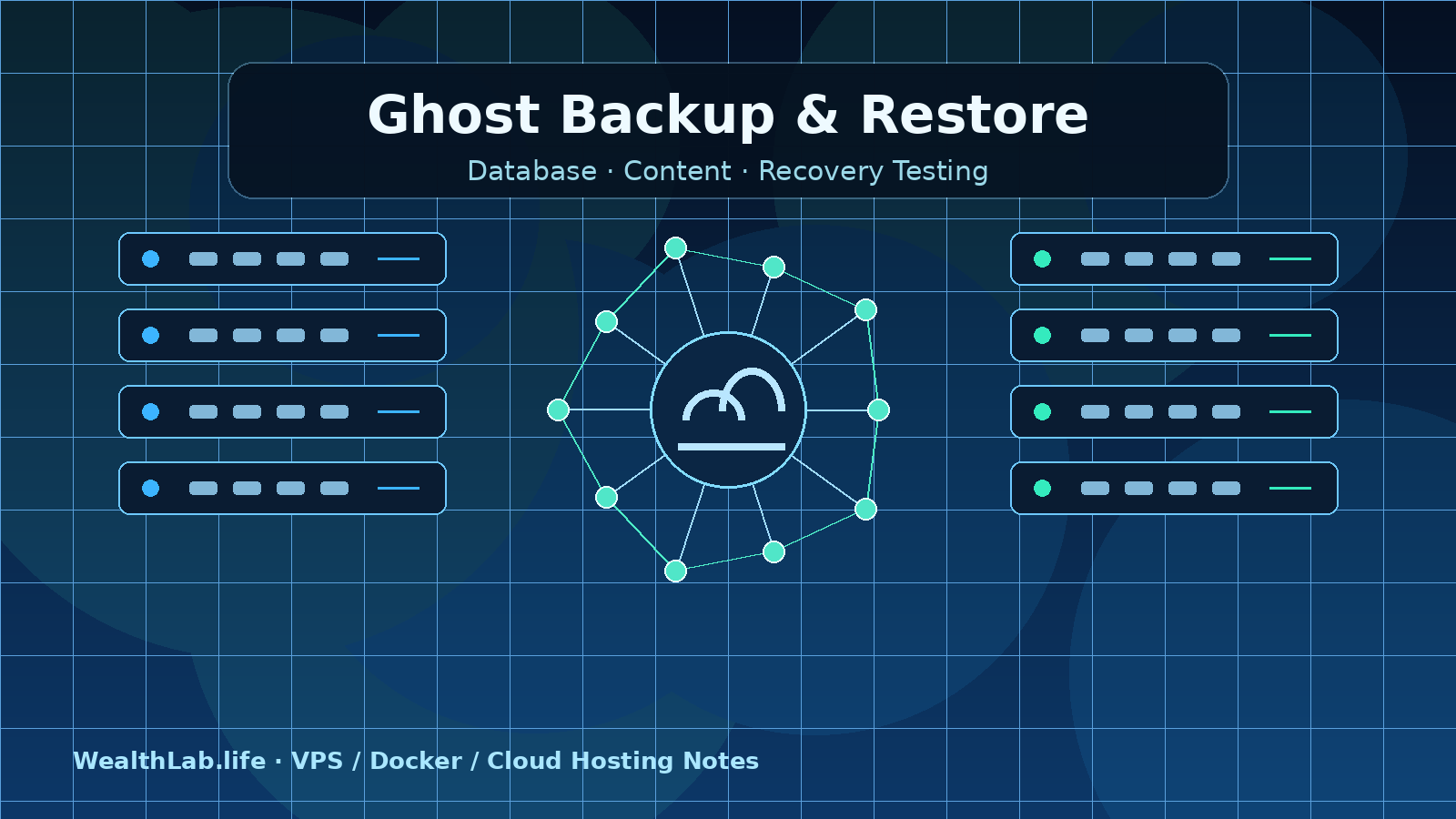
Back up and restore Ghost on Docker with a consistent MySQL dump, complete content archive, protected configuration, checksums, and an isolated recovery drill.
This recovery tutorial contains no affiliate links. It includes synthetic archive, MySQL dump/import, and isolated Ghost application restore drills. No production database, member data, credentials, outbound integrations, or live WealthLab container was used or modified.
A reliable Ghost Docker backup contains a consistent MySQL dump, the complete Ghost content directory, deployment configuration, and a written record of the versions and external services needed to rebuild the site. The backup is not proven until you restore it into an isolated environment and verify posts, images, members, themes, redirects, and administration.
Quick answer: what must be backed up?
- MySQL: posts, pages, members, settings, integrations, and other application state.
- Ghost content: images, files, media, themes, adapters, and custom route files stored under
/var/lib/ghost/content. - Deployment configuration: Compose and Caddy files plus a protected copy of required environment values.
- External-service records: DNS, SMTP, object storage, CDN, analytics, webhooks, and firewall configuration.
- Recovery instructions: image versions, restore order, validation checks, owners, and recovery targets.
A Ghost Admin JSON export is useful for content migration, but Ghost's documentation says it does not include some engagement data, email analytics, or comments. Do not treat that export alone as a disaster-recovery backup.
Before running commands: identify your storage
Do not copy commands with guessed service, volume, database, or path names. Start in the actual Compose project and inspect its effective structure without printing secrets:
cd /opt/ghost
docker compose config --services
docker compose ps
docker compose volumes
docker inspect "$(docker compose ps -q ghost)"   --format '{{json .Mounts}}'
The official Ghost Docker project commonly uses Ghost, MySQL, and Caddy, but local filenames and mount choices can differ. A bind mount must be archived from its host path; a named volume is usually archived through a temporary container or a dedicated backup tool. Record the result in the recovery runbook.
Set a restrictive umask before creating local backup files. Store the backup outside the public web root and outside any directory synchronized to a public repository:
umask 077
backup_dir="$HOME/ghost-backups/$(date -u +%Y%m%dT%H%M%SZ)"
mkdir -p "$backup_dir"
1. Create a consistent MySQL dump
For a standard Compose setup whose database service is named db, this pattern runs mysqldump inside the database container and writes the result on the host. The database credentials come from the container environment rather than being pasted into the host command:
# Run as a script: stop before archiving if the dump is not accepted.
set -eu
docker compose exec -T db sh -c \
  'MYSQL_PWD="$MYSQL_PASSWORD" exec mysqldump \
  --single-transaction --quick --no-tablespaces \
  -u"$MYSQL_USER" "$MYSQL_DATABASE"' \
  > "$backup_dir/ghost.sql.partial" 2> "$backup_dir/mysqldump.stderr"
test -s "$backup_dir/ghost.sql.partial"
if test -s "$backup_dir/mysqldump.stderr"; then
  printf '%s\n' 'Review protected mysqldump.stderr before accepting this backup.' >&2
  exit 1
fi
mv "$backup_dir/ghost.sql.partial" "$backup_dir/ghost.sql"
--no-tablespaces avoids requesting tablespace metadata that needs the global PROCESS privilege on recent MySQL 8.0 versions. Do not grant that global privilege merely to silence the error for a conventional InnoDB Ghost database. If your recovery requires explicit general tablespaces, or you use replication/GTIDs, review the MySQL documentation and recovery requirements first; this example is not a replication backup recipe. MYSQL_PWD avoids placing the password in command arguments, but is not a secret vault: privileged processes can inspect environments. Prefer a protected MySQL option file in a hardened backup job.
Keep stderr private and inspect any diagnostics rather than blindly accepting a non-empty SQL file. This conservative gate stops on warnings too; resolve or explicitly account for the message before promoting the partial file. Do not publish credentials or database contents in troubleshooting logs.
--single-transaction gives a transactionally consistent dump for InnoDB tables without a long global read lock. It does not make the content archive and database dump atomic with each other. For a busy publication or a strict recovery-point target, schedule a short write-maintenance window or use a database-aware backup system that coordinates the full set.
Check that the command succeeded and produced a non-empty SQL file. A size check is only a basic sanity check, not restore proof:
test -s "$backup_dir/ghost.sql"
wc -c "$backup_dir/ghost.sql"
Observed MySQL 8.0 dump failure: exit zero is not enough
Tested September 26, 2026: we ran MySQL 8.0.44 in a disposable Docker container with no network, no published ports, and a temporary in-memory data directory. No production database, member data, or credentials were used. The image was pinned to mysql:8.0.44@sha256:f37951fc3753a6a22d6c7bf6978c5e5fefcf6f31814d98c582524f98eae52b21.
The fixture was one InnoDB table with two synthetic rows. The local backup account had only SELECT, SHOW VIEW, TRIGGER on the source database, not global PROCESS. Binary logging was disabled in this isolated test; this does not test GTID or replica recovery.
mysqldump -ubackup --single-transaction --quick drillemitted a PROCESS-privilege error while attempting tablespace metadata, yet returned exit code 0 and produced a non-empty dump. That result demonstrates why exit status and file size alone are inadequate acceptance checks; it does not prove every resulting table dump is unusable.- Adding
--no-tablespacesreturned exit code 0 with empty stderr. - We imported the corrected SQL into a second, empty database and compared both ordered rows against the source. Import succeeded and both rows matched exactly.
- The temporary container and its data were removed, and absence was checked after cleanup.
To reproduce the privilege boundary in an already isolated, disposable MySQL instance, create this synthetic fixture as its administrator. Never run this fixture against production:
CREATE DATABASE drill;
CREATE DATABASE restored;
CREATE USER 'backup'@'localhost';
GRANT SELECT, SHOW VIEW, TRIGGER ON drill.* TO 'backup'@'localhost';
CREATE TABLE drill.example (id INT PRIMARY KEY, note VARCHAR(80)) ENGINE=InnoDB;
INSERT INTO drill.example VALUES
  (1, 'synthetic recovery marker'), (2, 'second row');
The passwordless local test account above is only for this disposable, network-disabled fixture. Run each dump command inside that container, capture stdout and stderr separately, and inspect both the message and exit status. Import the corrected dump as the test administrator into restored, then compare SELECT * FROM drill.example ORDER BY id with SELECT * FROM restored.example ORDER BY id. Destroy the fixture afterward.
Evidence boundary: this component drill is a synthetic SQL dump/import and privilege test, not a production backup validation, performance benchmark, or RTO measurement. The separate isolated application drill below adds a full Ghost boot from restored synthetic MySQL and content data. Neither drill tests production-scale members, newsletters, external integrations, object storage, DNS cutover, or a real incident.
2. Archive the complete Ghost content directory
If Compose bind-mounts a host directory such as ./data/ghost into /var/lib/ghost/content, archive that host directory using the path confirmed in the previous inspection:
tar --one-file-system -czf "$backup_dir/ghost-content.tar.gz" -C /opt/ghost/data ghostChange /opt/ghost/data and ghost to the real parent and directory names. The archive should include the full content tree, not only images. Themes, uploaded files, media, route files, and custom adapters may be needed for an accurate recovery.
For a named volume, follow Docker's volume backup pattern: mount the source volume read-only in a short-lived container and write the archive to a host backup directory. Confirm the exact volume name with docker volume inspect before running it:
docker run --rm --mount source=YOUR_GHOST_VOLUME,target=/source,readonly --mount type=bind,source="$backup_dir",target=/backup alpine tar -czf /backup/ghost-content.tar.gz -C /source .Pin or pre-approve the utility image in an automated job rather than silently pulling an unreviewed image during an emergency.
3. Protect configuration without leaking secrets
Copy the Compose file, Caddy configuration, custom routes, and a note containing the deployed image references or Git commit. Environment files contain database, SMTP, analytics, and integration credentials, so encrypt them before they leave the host. Do not commit them, include them in a public support bundle, or print a rendered Compose configuration into logs.
cp compose.yml "$backup_dir/"
cp -a caddy "$backup_dir/caddy"
docker compose images > "$backup_dir/container-images.txt"
git rev-parse HEAD > "$backup_dir/deployment-commit.txt"
If the deployment is not tracked in Git, record file checksums and image digests. Keep a separate inventory of external dependencies: canonical domain, DNS records, TLS/reverse-proxy path, firewall rules, mail provider, From address, object-storage buckets, analytics, and webhooks. Database and content files cannot recreate an undocumented external service.
4. Create checksums and move a copy off-server
Create checksums after all files are closed, then copy the directory to encrypted storage outside the VPS:
cd "$backup_dir"
sha256sum ghost.sql ghost-content.tar.gz compose.yml   > SHA256SUMS
sha256sum --check SHA256SUMS
Use at least one destination that survives loss of the server and hosting account. Limit access, encrypt sensitive configuration, enable retention or immutability where available, and alert when scheduled copies fail. A provider snapshot is useful as another recovery layer, but it should not be the only copy or the only restore format.
5. Define retention from business requirements
Choose the schedule from the maximum acceptable data loss, not from a generic daily-backup rule. A low-change technical blog may accept a daily database and content backup; a membership or newsletter publication may need a shorter interval. Keep multiple generations so corruption or accidental deletion discovered late does not overwrite every usable copy.
- Recovery point objective (RPO): the maximum amount of recent data you can lose.
- Recovery time objective (RTO): how long the publication can remain unavailable.
- Retention: enough daily, weekly, and monthly generations to cover delayed discovery.
- Verification: automated checksum checks plus recurring full restore drills.
Archive-layout drill: what we actually tested
On September 24, 2026, WealthLab ran the following synthetic-file drill on its Linux operations host using GNU tar and sha256sum. The archive checksum passed and both extracted fixture files matched their original checksums. Changing one restored file caused verification to fail. Extracting the same valid archive into the wrong parent created an extra ghost/ghost directory.
Evidence boundary: this is an archive-layout and corruption-detection test, not a full Ghost or MySQL recovery, provider benchmark, or measured recovery-time guarantee. It does not verify database consistency, permissions for the Ghost container user, member records, remote object storage, or application startup. No production data is used in this drill.
Use Bash, GNU tar and sha256sum. Set TMPDIR to an existing private scratch directory with free space. Run as an ordinary user, not root. The commands create a unique directory and keep the synthetic files for inspection; remove only that printed fixture directory after reviewing it.
set -eu
umask 077
: "${TMPDIR:?Set TMPDIR to a private scratch directory first}"
lab="$(mktemp -d "$TMPDIR/ghost-archive-drill.XXXXXX")"
# Only synthetic files are used. Keep the directory for inspection.
mkdir -p "$lab/source/ghost/images" "$lab/source/ghost/themes" "$lab/restore"
printf 'synthetic image fixture\n' > "$lab/source/ghost/images/example.txt"
printf 'synthetic theme fixture\n' > "$lab/source/ghost/themes/index.hbs"
(cd "$lab/source"; sha256sum ghost/images/example.txt ghost/themes/index.hbs) > "$lab/FILES.sha256"
tar --one-file-system -czf "$lab/ghost-content.tar.gz" -C "$lab/source" ghost
(cd "$lab"; sha256sum ghost-content.tar.gz > ARCHIVE.sha256; sha256sum --check ARCHIVE.sha256)
tar -tzf "$lab/ghost-content.tar.gz"
tar -xzf "$lab/ghost-content.tar.gz" -C "$lab/restore"
(cd "$lab/restore"; sha256sum --check "$lab/FILES.sha256")
# Negative control: a changed file must fail verification.
printf 'deliberate test corruption\n' >> "$lab/restore/ghost/images/example.txt"
if (cd "$lab/restore"; sha256sum --check "$lab/FILES.sha256" >/dev/null 2>&1); then
  printf 'FAIL: corruption went undetected\n'; exit 1
fi
printf 'PASS: changed file rejected\n'
# Negative control: a valid archive does not prove the right target path.
mkdir -p "$lab/wrong/ghost"
tar -xzf "$lab/ghost-content.tar.gz" -C "$lab/wrong/ghost"
if test -f "$lab/wrong/ghost/images/example.txt"; then
  printf 'FAIL: wrong-target control was invalid\n'; exit 1
fi
test -f "$lab/wrong/ghost/ghost/images/example.txt"
printf 'PASS: wrong target creates ghost/ghost nesting\n'
printf 'Fixture directory retained: %s\n' "$lab"
Why an intact archive can still restore incorrectly
The bind-mount command above archives the directory name ghost/, so extraction belongs in its destination parent. The named-volume example archives ., so extraction belongs in the volume root. Do not interchange those targets. Review the complete archive listing before extraction; a short preview can miss problematic entries. Never use this procedure to unpack an untrusted archive.
--one-file-system intentionally avoids crossing into other mounted filesystems. Inventory nested mounts separately, and back up objects stored by an external storage adapter separately: a local content archive is not a copy of an S3 bucket. A complete recovery exercise must then start an isolated compatible Ghost/MySQL stack and check the application-level items below.
Observed isolated Ghost application restore
Tested September 27, 2026: we ran scripts/ghost_full_restore_drill.py using pinned Ghost 6.65.0 and MySQL 8.0.44 images. The script created an internal-only Docker network, generated temporary credentials, used disposable MySQL tmpfs storage and content volumes, exposed no host ports, and did not mount or query production data.
- A source Ghost container initialized a synthetic database and returned HTTP 200. The fixture contained 99 Ghost tables, two default posts, 125 settings rows, and 349 migration rows. A synthetic marker file was added to the Ghost content volume.
- The drill created a
mysqldump --single-transaction --quick --no-tablespacesexport and a complete content archive, then removed the source Ghost and MySQL containers before starting the recovery side. - The database dump and content archive were restored into a second empty MySQL instance and a new content volume. Before Ghost started, table counts, selected row counts, and the ordered post fingerprint matched the source.
- The recovered Ghost container returned HTTP 200. The ordered post fingerprint and post count still matched after application boot, and the restored content marker matched byte-for-byte.
- All temporary containers, volumes, and the internal network were removed and their absence was checked.
What this proves: for this pinned, synthetic fixture, the documented database and content backup path produced a second Ghost application that booted successfully with matching post data and content-marker evidence.
What this does not prove: this was not a production restore, load test, RTO measurement, version-upgrade test, or validation of real members, newsletters, SMTP, webhooks, object storage, analytics, DNS, TLS, or provider snapshots. A production recovery plan still needs protected real backups, permission checks, integration isolation, representative media, and recurring rehearsals.
Restore safely into an isolated environment
Do not rehearse by overwriting production. Build a disposable VPS or private local environment with a temporary hostname, block public indexing, and prevent outbound newsletters or webhooks. Use compatible Ghost and MySQL versions first; perform application upgrades only after the recovered state works.
A private local environment is enough to rehearse the archive steps. A full application recovery needs compatible software, sufficient disk space, and enforced isolation from production mail, webhooks, traffic, and data. You do not need to buy another VPS just to learn the archive layout.
1. Prepare the destination without starting normal traffic
- Install Docker and the Compose plugin from official documentation.
- Restore the saved deployment files and protected environment values with restrictive permissions.
- Use a private hostname or hosts-file mapping; add
noindexand access controls. - Disable scheduled newsletters, transactional tests to real users, and external webhooks.
- Create empty persistent storage and start only the database when practical.
cd /opt/ghost-restore
docker compose config --quiet
docker compose up -d db
docker compose ps
2. Restore MySQL
Prepare a protected restore-client option file
Before running the import, create a MySQL client option file through your protected secret-management workflow. Its [client] section must contain the actual restore account's user and password. Mount that file read-only at /run/secrets/mysql-restore.cnf in the isolated database container, outside the public content directory. Restrict the source file to its intended reader (for example mode 0600 with the appropriate ownership), and verify the container process can read it. Do not paste the credentials into a shell command, Git repository, chat, or diagnostic output.
The command below assumes this file is already mounted and the destination database has been explicitly checked. --defaults-extra-file must be the first client option. It adds to the client's other option files, so inspect the effective connection design privately and avoid conflicting host, socket, or login-path settings. Keep option-file contents and connection diagnostics out of shared logs; MySQL documents password masking for --print-defaults, but that does not make arbitrary configuration output safe to publish. A read-only mount prevents edits; it does not prevent a privileged process or compromised container from reading the secret.
Do not attach a password value to -p or --password: it may briefly appear in process arguments even if the client later masks it. MYSQL_PWD, used in the earlier minimal dump example, is not a secure substitute for protected credential storage because process environments may be observable. Prefer a protected client option file for both import and automated dump jobs. An interactive password prompt is not a drop-in fix for this piped SQL import.
Source checked October 4, 2026: MySQL password-security guidance and option-file handling. This is a documentation-backed credential-handling correction, not a new database restore or authentication test. The earlier dated recovery drills retain their original scope.
Verify the target database is empty or deliberately replaceable. The following pattern reads the saved SQL file into the database service using its configured credentials:
docker compose exec -T db sh -c 'exec mysql --defaults-extra-file=/run/secrets/mysql-restore.cnf "$MYSQL_DATABASE"' < /path/to/backup/ghost.sqlCheck the exit status and database logs. Do not assume an import succeeded because the shell returned quickly. Authentication errors, insufficient disk space, incompatible SQL modes, or a truncated dump can stop or partially complete recovery.
3. Restore Ghost content
For a bind mount, extract into the confirmed empty destination parent. Inspect archive paths before extraction and avoid unpacking an untrusted archive as root:
tar -tzf /path/to/backup/ghost-content.tar.gz
tar -xzf /path/to/backup/ghost-content.tar.gz   -C /opt/ghost-restore/data
For a named volume, use the inverse of the volume-backup pattern: mount the new target volume and backup directory into a temporary container, then extract into the empty target. Restore ownership and permissions expected by the Ghost image. Never extract over a working production content directory without a separate rollback copy.
4. Start and verify the recovered site
docker compose up -d
docker compose ps
docker compose logs --tail=100 ghost db caddy
Complete a reader and administrator verification pass:
- Homepage, representative posts, pages, tags, and pagination load.
- Old and recent images, downloadable files, and media render.
- The expected theme, routes, redirects, navigation, canonical URL, and metadata are present.
- Members, staff roles, settings, integrations, and scheduled posts match the recovery point.
- Ghost Admin opens, but no real email or webhook fires from the isolated test.
robots.txtand the sitemap are correct for production only after cutover.- Database, content, configuration, DNS, mail, and analytics dependencies are documented.
Record the restore duration and any manual fixes. Update the runbook immediately; undocumented improvisation will be forgotten before the real incident.
Cutover and rollback
For an actual migration, lower DNS TTL in advance when appropriate, take a final backup during a controlled write freeze, restore and verify the destination, then change routing. Keep the old server intact and inaccessible to writers until the rollback window closes. After cutover, verify HTTPS, canonical tags, Admin, mail, images, redirects, robots, sitemap, analytics, and monitoring from outside the destination network.
Use the Docker VPS production checklist to review the new host. The Ghost Docker installation guide covers the wider deployment path.
Common backup failures
Only the container image was saved
Container images do not contain data stored in MySQL or mounted Ghost content. Back up persistent application data and configuration separately.
Only Ghost Admin JSON was exported
The export is valuable for migration and selective recovery, but it is not a full copy of database-only engagement data, uploaded assets, themes, or every integration secret.
The archive stayed on the VPS
A disk failure, account suspension, compromise, or accidental deletion can remove both production and its local backup. Maintain protected off-server generations.
The backup job succeeded but restore failed
Exit code zero, a non-empty file, and a valid checksum show limited properties. Only an isolated full restoration tests credentials, archive layout, permissions, version compatibility, external dependencies, and the runbook.
The test site sent mail or exposed duplicate content
Use a private hostname, authentication, indexing controls, and disabled outbound integrations. Never point the production domain at the rehearsal until validation and cutover are intentional.
FAQ
How often should I back up Ghost?
Set the interval from your RPO. Daily may fit a low-change publication, while active memberships, comments, or frequent publishing can require more frequent database copies. Always retain multiple generations and test restores.
Are VPS snapshots enough?
No. Snapshots are useful for host-level rollback, but portable MySQL dumps, Ghost content archives, protected configuration, and an off-provider copy provide different recovery paths.
Can I restore to another hosting provider?
Yes. A portable database dump, complete content archive, compatible deployment files, and documented external services support migration between providers. Test on the destination before changing DNS.
Should I stop Ghost during every backup?
A transactionally consistent MySQL dump can be taken while the site runs, but the database and content archive are not automatically one atomic snapshot. Use a short maintenance window or a coordinated backup system when your consistency and recovery-point requirements demand it.
What should be encrypted?
Encrypt environment files, database dumps, member data, integration credentials, and any archive that can expose private publication data. Manage encryption keys separately from the backup destination and test that authorized operators can recover them.
Related WealthLab guides
- Install Ghost with Docker on a VPS
- Ghost VPS requirements and sizing
- Best VPS for Ghost hosting
- Deploy Ghost on DigitalOcean with Docker
- Deploy Ghost on Vultr with Docker
- Docker VPS production checklist
Sources checked
- Ghost manual backup and restore documentation
- Ghost-to-Ghost migration documentation
- Ghost Docker installation documentation
- Docker volume backup, restore, and migration documentation
- MySQL 8.0 mysqldump documentation
Official sources originally reviewed September 5, 2026; Ghost manual-backup, Ghost Docker, MySQL dump, and Docker volume documentation were rechecked through September 27, 2026 alongside the synthetic component and isolated application restore drills. Other commands are patterns that must be adapted to the actual Compose project, service names, storage mounts, versions, and recovery policy.