Docker VPS Production Checklist: Secure Your Server Before Launch
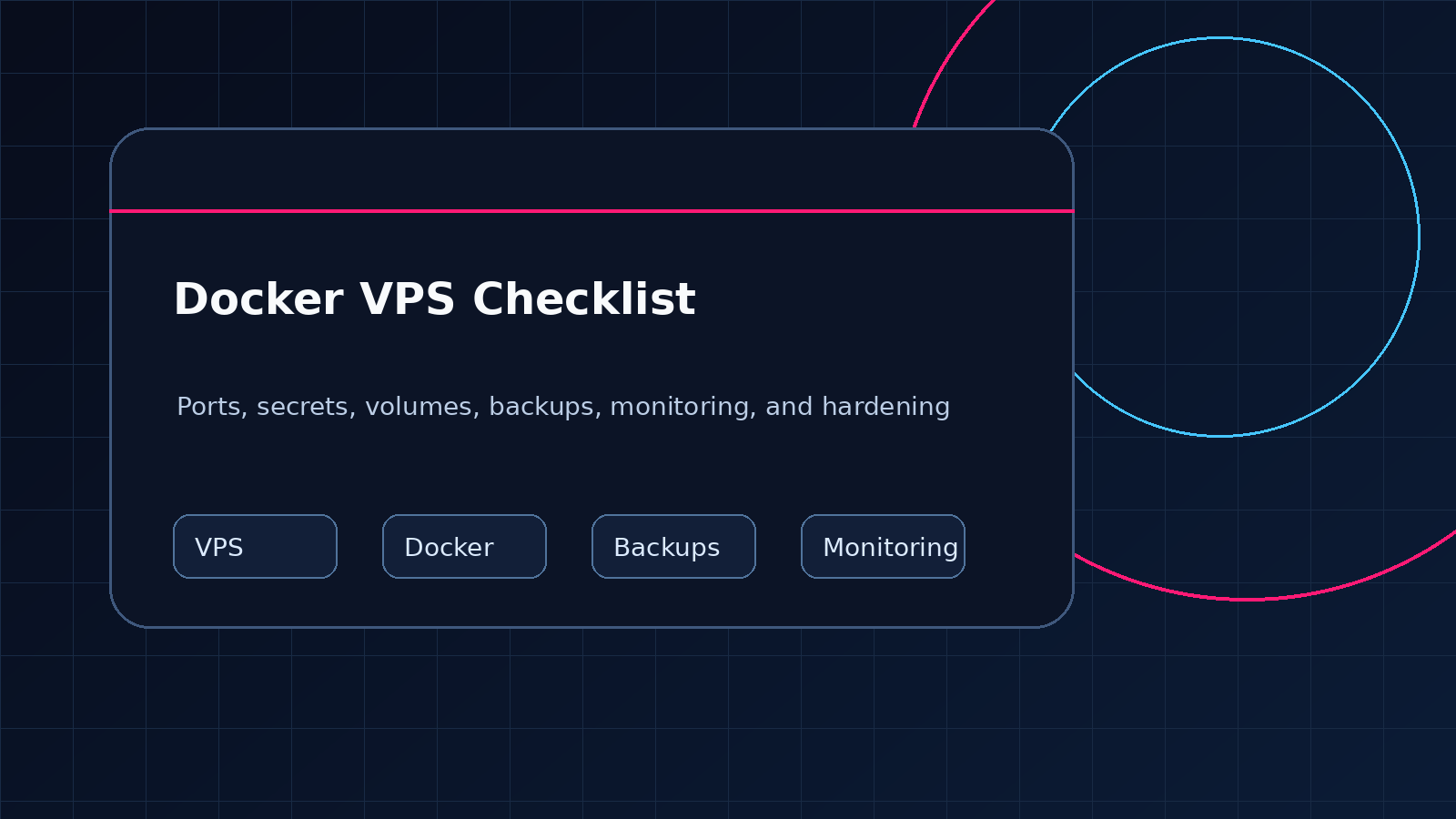
A practical pre-launch checklist for Docker VPS networking, secrets, volumes, backups, logging, updates, monitoring, and rollback.
Disclosure: WealthLab.life may earn a commission when you register through some links on this page, at no additional cost to you. Recommendations are based on workload fit and operational risk before referral economics.
A Docker VPS is ready for production only when you can explain what is exposed, where persistent data lives, how secrets are supplied, what happens after a reboot, and how you would restore the service after a failed update. Before you point public DNS at a new host, validate the rendered Compose configuration, restrict network access, cap log growth, create an off-server backup, and test the real HTTPS URL from outside the server.
Quick answer: the minimum launch gate
Do not launch because docker compose ps says every container is up. Launch only after all of these checks pass:
- Only the reverse proxy or explicitly public service ports listen on public interfaces.
- Databases, Docker Engine, dashboards, and admin tools are not exposed directly to the internet.
- Secrets are outside Git and absent from rendered public files and container logs.
- Named volumes or deliberate bind mounts cover every stateful path.
- An application-consistent backup exists off the VPS, and the restore steps are documented.
- Container logs have rotation or another bounded retention policy.
- Restart behavior, health checks, HTTPS, monitoring, updates, and rollback have been tested.
1. Inventory the host before changing it
Start by recording what the host is running and which Compose projects own it. These read-only commands provide a useful baseline:
docker version
docker compose version
docker compose ls
docker ps
docker network ls
docker volume ls
ss -lntup
df -h
docker system df
Do not run broad prune commands as part of routine launch preparation. An apparently unused volume may contain the only copy of application data. Inventory first, back up state, and remove resources only when you know their owner and recovery path.
2. Validate the effective Compose configuration
Compose interpolation, environment files, and override files can make the effective deployment different from the YAML you are reading. Validate the same file set used in production:
docker compose config --quiet
docker compose config --services
docker compose config --images
The full docker compose config output can contain resolved secret values. Do not paste it into tickets, logs, or public repositories. Use --quiet for syntax validation and inspect sensitive output only in a trusted terminal.
Pin important production images to a deliberate version or digest where practical. A floating latest tag makes rollback and change review harder because the same Compose file can pull different software later.
3. Audit every published port
A Compose ports entry publishes a container port on the host. If it is intended only for a host reverse proxy, bind it to loopback instead of every interface:
services:
  app:
    ports:
      - "127.0.0.1:8080:3000"

  db:
    expose:
      - "3306"
    networks:
      - internal

networks:
  internal:
    internal: true
expose documents a container port for connected Docker networks; it does not publish that port on the host. Verify the actual result with docker ps, docker port CONTAINER, and ss -lntup.
Docker's official Ubuntu installation guidance warns that published container ports can bypass rules managed through ufw or firewalld. Do not assume a host firewall makes an overly broad ports mapping safe. Design narrow bindings first, then apply Docker-aware filtering through supported packet-filtering paths when needed.
4. Put one deliberate edge in front of web apps
For a typical single-server deployment, expose Caddy, Traefik, or Nginx as the public edge and keep application containers on private networks. The proxy should terminate HTTPS, route by hostname, and forward the original scheme and host correctly. Keep database ports and application-native admin ports private.
Verify both sides of the path:
curl -I http://127.0.0.1:8080/healthz
curl -I https://example.com/
curl -I https://example.com/healthz
The public check catches DNS, TLS, CDN, proxy, redirect, and application failures that a container-local check cannot. Test with a normal browser user agent and, when search indexing matters, independently fetch robots.txt and the sitemap with Googlebot and Bingbot user agents.
5. Keep secrets out of images, Git, and logs
- Ignore live
.envfiles, private keys, database dumps, and mounted data directories. - Commit a safe
.env.examplecontaining names and placeholders, never working credentials. - Prefer Docker secrets or another controlled secret store when the application supports file-based secrets.
- Do not place secrets in Dockerfile
ARGorENVinstructions; image history and metadata can retain them. - Restrict permissions on deployment files and backups.
- Review logs for accidentally printed tokens before retaining or forwarding them.
Run a secret scanner against the repository before launch if one is available, but do not treat a clean scanner result as proof. Manually review Compose files, CI variables, backup scripts, and shell history. Rotate any credential that was committed, even if the commit was later deleted.
6. Make container privileges explicit
Use the least privilege that the image and workload support. A hardened service may include an unprivileged user, a read-only root filesystem, dropped Linux capabilities, and no-new-privileges:
services:
  web:
    image: example/web:1.4.2
    read_only: true
    cap_drop:
      - ALL
    security_opt:
      - no-new-privileges:true
    tmpfs:
      - /tmp
    restart: unless-stopped
Do not apply these options blindly. Some images need to write configuration, caches, PID files, or uploaded content. Identify those paths, provide narrow writable volumes or tmpfs mounts, and test startup, upgrades, uploads, and shutdown. Avoid privileged containers and Docker socket mounts unless the workload genuinely requires that level of host control.
7. Map every persistent-data path
Container writable layers disappear when containers are replaced. Use named volumes or intentional bind mounts for databases, uploads, application state, and custom configuration. Document each mount with its owner, purpose, backup method, and restore destination.
docker compose config --volumes
docker inspect CONTAINER --format '{{json .Mounts}}'
docker volume inspect VOLUME_NAME
Named volumes survive ordinary container removal, which is useful but can hide forgotten data. Anonymous volumes are harder to identify and reuse. Never infer that a backup is complete merely because a VPS snapshot exists: a crash-consistent disk image may not be an application-consistent database backup.
8. Back up for restoration, not reassurance
A useful backup plan covers four layers: database data, uploaded or user-generated files, deployment configuration, and the external dependencies needed to reconnect the service. Store at least one copy away from the VPS and protect backups with access controls appropriate to their contents.
- Create a supported database dump or other application-consistent export.
- Copy persistent content and custom configuration.
- Record image versions, Compose files, environment-variable names, DNS, and proxy assumptions.
- Transfer the backup off the host and verify that the file is readable.
- Restore into an isolated test location and confirm that the application starts with the expected records and files.
Document the recovery order. For many stacks that means database first, files second, configuration and secrets third, then proxy and DNS. A backup that has never been restored is still an untested hypothesis.
9. Bound logs before they fill the disk
Docker's default json-file logging driver does not rotate logs unless you configure limits. You can set per-service limits in Compose:
services:
  app:
    logging:
      driver: json-file
      options:
        max-size: "10m"
        max-file: "3"
Choose retention based on incident and compliance needs rather than copying these sample values uncritically. Docker notes that daemon-level logging defaults apply to newly created containers after Docker is restarted; existing containers do not adopt them automatically. Monitor host disk and inode use as well as application logs.
10. Add meaningful health and restart behavior
A health check should test the smallest endpoint that proves the service can do useful work without causing load or changing data. A restart policy improves recovery after a process exit or host reboot, but it cannot repair a broken dependency, full disk, bad migration, or invalid configuration.
services:
  app:
    restart: unless-stopped
    healthcheck:
      test: ["CMD", "wget", "-qO-", "http://127.0.0.1:3000/healthz"]
      interval: 30s
      timeout: 5s
      retries: 3
      start_period: 30s
Use a command that actually exists in the image. Minimal containers may not include wget, curl, or a shell. Check docker compose ps and recent logs after every recreation, then probe the public service separately.
11. Size the whole stack, not one container
Memory must cover the operating system, Docker, reverse proxy, application, database, monitoring, backup jobs, and maintenance spikes. Disk must cover images, writable layers, volumes, logs, uploads, database growth, and temporary backup files.
- 1 GB RAM: suitable mainly for tests or a very small single service after measurement; little margin for local databases and maintenance.
- 2 GB RAM: a practical starting point for many small web stacks, provided measured usage leaves headroom.
- 4 GB RAM: safer for a CMS plus database, several modest services, local monitoring, or heavier maintenance.
- Above 4 GB: choose from observed pressure, multiple workloads, or sustained traffic—not from a generic pageview formula.
Watch free -h, docker stats, disk use, swap activity, OOM events, database latency, and request latency. Vertical scaling can buy time, but separating stateful or critical services may reduce failure coupling as the stack grows.
12. Rehearse updates and rollback
Before updating, read release notes, back up state, record the running image identifiers, and validate the intended Compose configuration. Avoid pulling and recreating every service when only one component changed.
docker compose pull app
docker compose up -d --no-deps app
docker compose ps
docker compose logs --tail=100 app
Whether an older image can safely run against a migrated database depends on the application. A real rollback plan may require restoring both the previous image and the pre-upgrade database/content backup. Test that path outside production.
13. Monitor user outcomes and security boundaries
Monitor the public homepage or API, a lightweight health endpoint, TLS expiry, and key discovery files such as robots.txt and sitemap.xml when relevant. Also alert on low disk space, repeated restarts, unhealthy containers, backup failures, and certificate errors.
Probe sensitive paths and expected redirects before launch:
curl -I https://example.com/.env
curl -I https://example.com/.git/config
curl -I http://example.com/
curl -I https://example.com/robots.txt
Sensitive paths should not expose content, and public HTTP should follow the intended HTTPS policy. Treat a 200 response from the homepage as one signal, not complete proof of readiness.
For application-specific recovery steps, follow the Ghost Docker backup and restore guide.
Final go-live checklist
docker compose config --quietpasses for the production file set.- Images and expected change versions are recorded.
- Public listeners match the network design.
- Database and admin services are private.
- HTTPS, canonical host, redirects, and forwarded headers work publicly.
- Secrets are ignored by Git and not embedded in images or logs.
- Persistent mounts and ownership are documented.
- Off-server backups and a restore test exist.
- Logs have bounded retention.
- Health checks and restart policies are appropriate for each service.
- CPU, RAM, disk, and swap have measured headroom.
- Monitoring checks the actual reader-facing service.
- The update and rollback runbook names exact commands and data dependencies.
Choosing a VPS for Docker
Choose a provider only after estimating memory, disk growth, region, transfer, backup, and support needs. DigitalOcean can fit readers who prefer a straightforward Droplet workflow and extensive tutorials. Vultr is worth comparing when region or compute-family choice is the deciding factor. Other providers may be a better fit for support, compliance, latency, or local pricing.
Disclosure: The following are provider referral links. WealthLab.life may earn a commission at no additional cost to you.
Compare DigitalOcean for a Docker VPS and Vultr cloud compute, then verify current official plan details before deploying. This checklist does not claim private performance benchmarks or a universal best provider.
Still choosing infrastructure? Use the Best VPS for Docker Apps guide to compare sizing, provider fit, and non-fit cases.
Related deployment guides
- Podman checkpoint-image sandbox-bypass update checklist — scope rootful exposure, update affected versions, and preserve image provenance.
- Review the Docker Engine 29.9.1 containerd security checklist
- Review Docker Hub CVE-2026-105445 and registry credentials
- Set up a DigitalOcean Droplet for Docker apps
- Install Ghost with Docker on a VPS
- Size a VPS for Ghost
- Compare VPS options for Ghost hosting
- Choose between DigitalOcean and Vultr
- Estimate n8n VPS requirements
FAQ
Should I expose a container port and rely on UFW?
No. Docker documents firewall interactions that can allow published container traffic before rules managed by UFW are applied. Bind only what must be reachable, prefer a single public reverse proxy, and use Docker-aware filtering where additional controls are required.
Is a provider snapshot enough for a Docker backup?
Not necessarily. A snapshot is useful for whole-server recovery, but a live database may need a supported dump or coordinated backup. Keep application-consistent data and important files off the VPS, and test a restore.
Does restart: unless-stopped make an app highly available?
No. It can restart a container after some failures or daemon restarts. It does not provide a second host, fix corrupted data, recover a full disk, or validate that the public application works.
Should production containers use a read-only root filesystem?
Use it when the image supports it. First identify required writable paths and provide narrow volumes or temporary filesystems. Test upgrades and normal application operations before relying on the setting.
How often should I update a Docker VPS?
Use a regular, documented cadence plus urgent handling for relevant security fixes. Review release notes, back up state, stage risky changes, update one dependency at a time when practical, verify publicly, and retain a tested rollback path.
For a focused network-perimeter workflow, use the VPS firewall setup guide for Docker apps.
Using Vultr? Apply the Vultr Docker VPS setup guide alongside this provider-neutral checklist.
Sources checked
- Docker: Use Compose in production
- Docker Engine installation on Ubuntu and firewall warning
- Docker packet filtering and firewalls
- Docker JSON file logging driver
- Docker restart policies
- Docker volumes
- Docker Compose service reference
Last updated: 2026-09-02