n8n VPS Requirements: RAM, CPU & Docker Sizing
Practical n8n VPS requirements for 1 GB tests, 2 GB Docker setups, and 4 GB+ production workloads, including CPU, database, and scaling guidance.
Disclosure: WealthLab.life may earn a commission when you register through some links on this page, at no additional cost to you.
The minimum n8n hardware requirement for a light test is roughly 1 vCPU and 1 GB RAM, but a small long-running Docker deployment should start with 1 vCPU and 2 GB RAM. The right server size then depends on workflow frequency, payload size, execution history, database choice, and whether PostgreSQL or other services share the VPS.
n8n minimum hardware requirements: quick answer
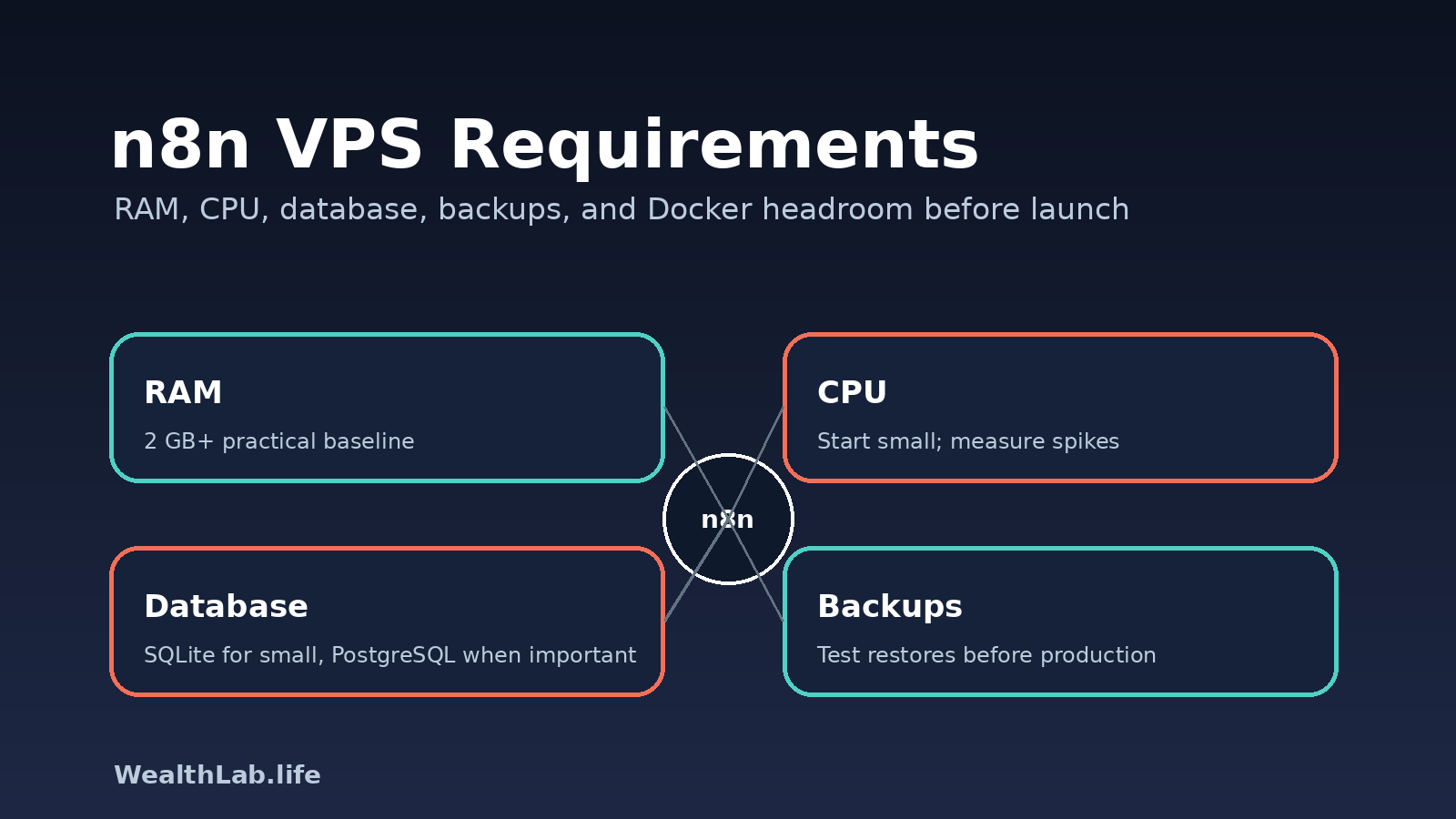
For a personal or very small n8n instance, start with at least 2 GB RAM if you are running Docker, n8n, a reverse proxy, and basic monitoring on the same server. A 1 GB VPS can work for light testing, but it leaves little room for updates, logs, browser-heavy workflows, or future services. For production workflows, multiple users, heavier executions, or PostgreSQL on the same host, plan for 4 GB RAM or more and scale from real usage.
If you do not want to manage servers, security updates, backups, and scaling yourself, consider n8n Cloud instead. n8n's own documentation warns that self-hosting requires server, container, resource, security, and application administration knowledge.
Recommended VPS sizes by workload
| Workload | Starting point | Database direction | Main limitation to watch |
|---|---|---|---|
| Learning or short experiments | 1 vCPU / 1 GB RAM | SQLite | Little headroom; downtime and rebuilds must be acceptable |
| Personal automation server | 1 vCPU / 2 GB RAM | SQLite or small PostgreSQL | Watch memory during updates and larger executions |
| Small production automation | 2 vCPU / 4 GB RAM | PostgreSQL preferred | Execution history, backups, and concurrent runs |
| Busy workflows, multiple users, or queue mode | 2–4+ vCPU / 8+ GB RAM | PostgreSQL plus queue components | Separate workers or database may be cleaner than one large VPS |
How to use this table: select the row matching the operational importance and concurrency of the workload, not merely the number of workflows. Then monitor peak memory, CPU saturation, disk growth, execution duration, failed executions, and restart behavior. Resize or separate services when those measurements—not a generic recommendation—show pressure.
These are editorial starting points, not benchmark results or n8n guarantees. A 1 GB server can run a light test while still being a poor production choice; a 4 GB server can still fail when workflows process large files or many executions overlap.
What actually drives n8n resource usage?
- Workflow frequency: a workflow that runs once per day is very different from one that runs every minute.
- Execution size: large API responses, file processing, scraping, spreadsheet work, and binary data can use much more memory than simple webhook-to-email flows.
- Execution history: saving every execution forever can grow the database and slow operations over time.
- Database choice: n8n uses SQLite by default for self-hosted installs, while PostgreSQL is the better direction when the deployment becomes important or needs external database management.
- Other services on the VPS: Traefik or Nginx, PostgreSQL, Redis, backups, monitoring agents, and log shippers all need headroom.
- Update behavior: Docker image pulls, migrations, and restart windows can temporarily need more room than steady-state operation.
SQLite vs PostgreSQL for n8n
n8n's database documentation says self-hosted n8n uses SQLite by default and also supports PostgreSQL via environment variables such as DB_TYPE=postgresdb. SQLite is simple and convenient for a small personal instance. PostgreSQL is a better fit when uptime, backups, concurrent use, and operational recovery matter.
Do not switch databases casually on a live server. Back up n8n data, credentials, workflows, and the database first, then test the restore path before relying on it.
When to use queue mode
n8n's scaling documentation says queue mode provides the best scalability when you have a large number of users, workflows, or executions. Queue mode usually adds more moving parts, such as workers and a queue backend, so it is not the first thing a beginner needs. Start simple, measure the real bottleneck, then move to queue mode when one n8n process is no longer enough.
Minimum production checklist
- Use a dedicated subdomain such as
n8n.example.comand point DNS to the VPS. - Run n8n behind HTTPS using a reverse proxy such as Traefik, Caddy, or Nginx.
- Use SSH keys instead of password-only server access.
- Restrict firewall access to SSH, HTTP, and HTTPS unless another port is truly required.
- Back up the n8n data directory and database before updates.
- Set execution data pruning so history does not grow without limits.
- Keep Docker, the host OS, and n8n updated on a controlled schedule.
- Test restore, not just backup creation.
Example Docker-oriented server layout
A simple single-server layout might look like this:
/opt/n8n/
  compose.yml
  .env
  local-files/
  backups/
Keep secrets in .env, keep that file out of git, and avoid copying random commands from the web into a root shell without understanding what they do. Use official Docker and n8n documentation as the baseline, then adapt cautiously.
Provider fit: DigitalOcean and Vultr
Disclosure: WealthLab.life may earn a commission when you register through some links in this section, at no additional cost to you.
If you already have a VPS provider that works well for you, you do not need to move just to run n8n. If you are choosing a new server, DigitalOcean and Vultr are both reasonable VPS options for a Docker-based n8n deployment.
DigitalOcean
Good fit when you want a straightforward Droplet workflow, beginner-friendly documentation, and a simple path from tutorial to server. View DigitalOcean.
Vultr
Good fit when you want to compare more locations or instance families close to your users and workflows. View Vultr.
Before creating a server, compare the exact current plan, region, backup pricing, bandwidth policy, and upgrade path on the provider's own website.
Common mistakes
- Running production on a tiny test VPS: it may work until an update, workflow spike, or database growth event.
- Ignoring backups: n8n credentials and workflow history are valuable; losing them can break business processes.
- Letting execution data grow forever: configure retention and prune data before the database becomes a problem.
- Exposing admin interfaces: do not leave dashboards or databases open to the public internet.
- Assuming Docker removes operations work: containers simplify packaging, but you still own security, storage, networking, and recovery.
Decision checklist
- Is this for testing, personal use, or business-critical automation?
- How many workflows run per hour?
- Do workflows process large files, spreadsheets, or API payloads?
- Will PostgreSQL run on the same VPS or a separate managed service?
- How many days of execution history will you keep?
- Can you restore the server from backups without guessing?
- Is there an easy upgrade path from 2 GB to 4 GB or 8 GB RAM?
FAQ
Can n8n run on a 1 GB VPS?
Yes, for light testing or very small personal workloads. For a public, long-running Docker deployment, 2 GB RAM is a safer starting point because the operating system, Docker, reverse proxy, database, logs, and updates all need headroom.
Do I need PostgreSQL for n8n?
Not always. SQLite is the default for self-hosted n8n and is simple for small instances. PostgreSQL becomes more attractive when the deployment is important, the database is growing, or you want stronger operational backup and recovery patterns.
Should I run n8n and PostgreSQL on the same VPS?
For a small deployment, you can. For production workflows, separating the database or using a managed database can make backups, upgrades, and recovery easier.
Which VPS provider is best for n8n?
There is no universal best. Choose based on region, RAM, backup options, upgrade path, documentation, and your comfort operating the platform. DigitalOcean and Vultr are both reasonable options to compare.
Bottom line
Use 1 GB only for experiments, 2 GB as a practical small self-hosted baseline, and 4 GB or more when n8n matters to your work. Keep the deployment boring: HTTPS, backups, resource monitoring, execution pruning, and a clear upgrade path matter more than chasing the smallest monthly bill.
Related WealthLab guides
- n8n 3.0 Upgrade Checklist for Self-Hosted Instances
- Docker VPS Launch Checklist Before You Go Public
- DigitalOcean vs Vultr: Which VPS Should You Choose?
- DigitalOcean Droplet Setup Checklist for Docker Apps
- Ghost VPS Sizing: How Much RAM Do You Need?
How this sizing guidance was produced
The database and queue-mode statements above are grounded in n8n's official documentation. The RAM and CPU rows are WealthLab editorial starting points for planning a complete Docker host; they are not vendor minimums or measured provider benchmarks. No DigitalOcean-versus-Vultr hardware benchmark was performed for this article.
For a defensible production decision, record the exact n8n version, database, workflow concurrency, payload sizes, execution-retention policy, co-located services, and observed peaks. Revisit the sizing decision after major workflow or version changes.
Sources checked
- n8n Docker Compose hosting documentation
- n8n scaling overview
- n8n database configuration documentation
- Docker Engine installation documentation
Last updated: 2026-10-13