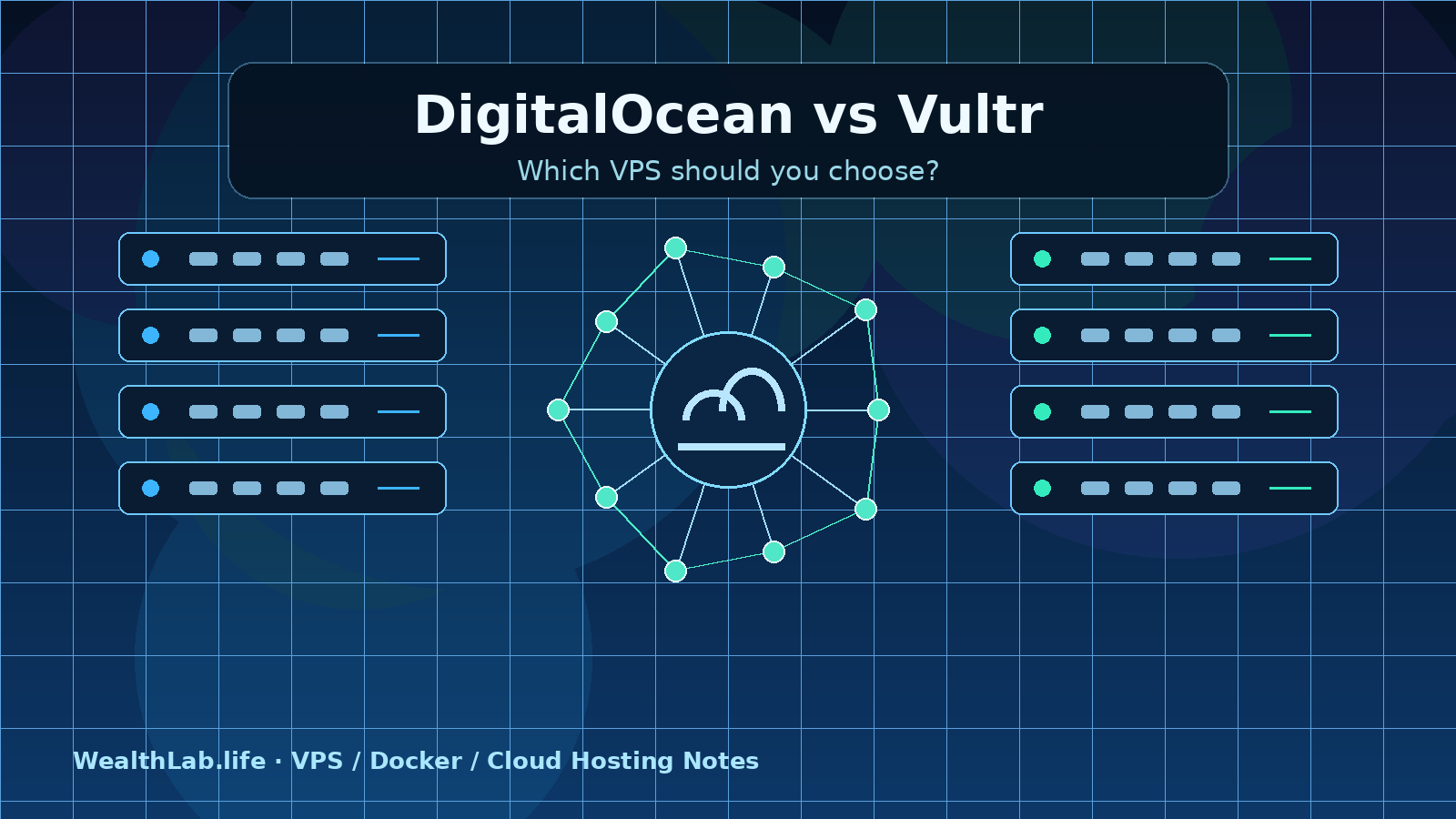
DigitalOcean vs Vultr: Which VPS Should You Choose?
A practical DigitalOcean vs Vultr comparison for Docker, Ghost, WordPress, n8n, and small production workloads.
Disclosure: WealthLab.life may earn a commission when you register through some links on this page, at no additional cost to you.
DigitalOcean and Vultr can both host Docker applications, Ghost, WordPress, n8n, and small production services. The practical difference is not that one provider is universally better: DigitalOcean is usually the simpler default for a first developer VPS, while Vultr deserves closer attention when location choice or a wider range of compute options drives the decision.
Quick verdict
- Choose DigitalOcean when you value a streamlined Droplet workflow, approachable documentation, and a smaller set of choices that is easier to operate.
- Choose Vultr when a particular city is important, you want to compare more compute families, or you already know the CPU and storage profile your workload needs.
- Choose neither yet if you need a managed application platform, around-the-clock hands-on administration, or compliance guarantees that you have not verified. A self-managed VPS makes you responsible for patching, backups, monitoring, and recovery.
Before creating a server, compare the exact plan in the exact region, including usable RAM, CPU class, storage, transfer allowance, backup options, and recovery tools. Product availability and final pricing can vary by location and change over time.
DigitalOcean vs Vultr at a glance
- First-server experience: DigitalOcean has a focused Droplet creation path and extensive task-oriented documentation. Vultr is still accessible, but its broader catalog creates more choices to evaluate.
- Location coverage: Vultr's official location page listed 33 cloud regions when reviewed on September 2, 2026. DigitalOcean's official availability matrix listed 16 active datacenters across 13 regions. A larger count is useful only if the location you need supports the product and capacity you need.
- Compute choice: both offer general-purpose virtual machines and additional compute families. Compare shared versus dedicated CPU behavior instead of relying on brand labels alone.
- Networking: both document firewall controls and private-networking options. The safe default is to expose only required web ports and narrowly restrict administration.
- Backups and recovery: both offer platform features that can support recovery, but provider backups should complement application-aware database and file backups, not replace them.
- Best general fit: DigitalOcean for an uncomplicated developer workflow; Vultr for location-sensitive or plan-specific selection.
1. Compare the region before the provider
Latency is often determined more by geography and routing than by the logo on the invoice. Identify where most users live, shortlist nearby regions, and test from representative networks. Vultr publishes regional speed-test endpoints. DigitalOcean publishes a product availability matrix because not every product or plan is necessarily available in every datacenter.
Do not select a location from a map alone. Confirm that the exact VM family, backup option, block storage, managed database, or other dependency is available there. If data residency matters, verify the applicable provider terms and your own legal requirements rather than assuming a city label is sufficient.
2. Match the compute family to the workload
Shared CPU plans are a sensible starting point for low-traffic sites, development environments, and applications that are idle much of the time. Consistently busy databases, build workers, media processing, and latency-sensitive services may benefit from dedicated or optimized compute.
Compare these characteristics directly:
- whether vCPUs are shared or dedicated;
- RAM available to the operating system and application;
- local disk type, capacity, and expansion path;
- included transfer and overage policy;
- vertical resize limitations, especially disk changes that cannot be reversed;
- availability of snapshots, automatic backups, and separate block storage.
A plan with more vCPUs is not automatically faster for every task. Without a controlled benchmark of your own application, treat performance claims as hypotheses and test a disposable instance in the target region.
3. Size the whole stack, not one container
A VPS must run Linux, Docker, a reverse proxy, logs, monitoring, updates, and often a database in addition to the main application. These planning tiers are workload estimates rather than provider requirements:
- 1 GB RAM: disposable experiments or one very light service. Updates, image pulls, and database work can leave little headroom.
- 2 GB RAM: a practical starting point for a small Ghost, WordPress, n8n, or database-backed Docker deployment with controlled traffic.
- 4 GB RAM: safer room for several containers, a busier CMS, background jobs, or more comfortable maintenance.
- 8 GB or more: heavier databases, queues, search services, build jobs, or multiple important applications.
Measure memory pressure, swap activity, CPU saturation, disk use, database latency, and container restarts after launch. Resize from evidence rather than treating a generic tier as a guarantee.
4. Evaluate the operating workflow
DigitalOcean workflow
DigitalOcean describes Droplets as Linux virtual machines and documents creation, SSH access, plan selection, resizing, backups, snapshots, Cloud Firewalls, and recovery-console access. That documentation depth makes it a useful baseline for readers following their first deployment guide.
Vultr workflow
Vultr's Cloud Compute documentation covers provisioning, monitoring, resizing, reinstalling, startup scripts, custom ISOs, firewall groups, reserved IPs, VPC networking, backups, and recovery-related features. This breadth is useful when you need a more specific deployment path, but it also means you should review the selected options carefully.
Whichever provider you choose, document server creation, DNS, firewall rules, image or OS version, backup schedule, and the recovery procedure. A convenient control panel does not remove operational responsibility.
5. Compare networking and security controls
Start with SSH keys, a narrow provider firewall, timely operating-system updates, and no public database port. For a web stack, normally publish only ports 80 and 443 through one reverse proxy. Restrict SSH to trusted source addresses when practical and keep dashboards or metrics on private networks, loopback, or an authenticated access layer.
Docker can alter packet-filtering behavior when ports are published. Test the public result rather than assuming a host firewall rule blocks every container port. Provider firewalls are valuable because they filter outside the VM, but keep a documented recovery path in case a rule locks out administration.
6. Treat backups as a restore system
Provider snapshots and automatic backups can shorten recovery from a broken VM, but a database-backed service also needs application-consistent exports. Keep database dumps, configuration, uploaded content, and required secrets in a protected off-server location. Use separate credentials where possible.
- Record what is persistent and where it lives.
- Schedule database-consistent exports before file archives.
- Keep at least one copy outside the VPS and outside its local disk.
- Encrypt sensitive backups and define retention.
- Restore into a disposable environment and record the result.
The provider with the better-looking backup toggle is not necessarily the safer choice if you have never completed a restore.
7. Understand billing before deployment
Do not compare only the headline VM number. Review billing granularity, whether stopped instances continue to incur charges, transfer overages, backup or snapshot charges, block storage, extra addresses, taxes, and support requirements. DigitalOcean explicitly documents that powering off a Droplet does not release its reserved resources; destroying it is what stops Droplet billing. Check Vultr's current billing and product documentation for the selected instance and add-ons before deployment.
For a fair comparison, build a monthly estimate for the same architecture on both providers: one VM, required backup policy, expected transfer, any block storage, and external services such as transactional email. Verify the final configuration screen rather than relying on an old price table.
Cloudways DigitalOcean vs Vultr: managed layer or direct VPS?
Cloudways and a direct DigitalOcean or Vultr account are different buying paths. Cloudways is a managed cloud-hosting platform that lets customers choose underlying infrastructure providers, including DigitalOcean and Vultr according to its current provider guide. A direct account gives you the provider's own virtual-machine control plane and leaves the operating system, application stack, updates, monitoring, and recovery with you.
- Choose Cloudways for a managed application workflow when reducing server administration matters more than having direct control of every host-level setting.
- Choose DigitalOcean or Vultr directly when you want to manage Docker, firewall rules, reverse proxies, databases, backups, and upgrades yourself.
- Compare the complete service, not only the infrastructure logo. Support scope, application tooling, backup behavior, scaling path, included transfer, and account ownership can differ between a managed platform and a raw VPS.
A Cloudways plan using DigitalOcean or Vultr should not be treated as identical to buying the corresponding VPS directly. Check the current Cloudways plan details and the direct provider configuration separately. The referral links on this page lead to the providers directly, not to Cloudways.
Best provider by workload
Docker applications
Both providers are suitable. DigitalOcean is a strong default when you want a straightforward Ubuntu-to-Docker tutorial path. Vultr is worth prioritizing when a particular region or compute profile better matches the application. In both cases, use reviewed Compose files, persistent volumes, a reverse proxy, health checks, and off-server backups.
Ghost
Either provider can run Ghost with MySQL and a reverse proxy. Start with the Ghost VPS sizing guide, then follow the Ghost Docker VPS installation guide. SMTP, backups, upgrades, and memory headroom matter more than choosing between two otherwise suitable VM brands.
WordPress
For a small WordPress site, compare memory, database behavior, storage growth, backups, and your willingness to administer PHP and the web server. If you do not want that work, compare managed WordPress products separately instead of assuming a raw VPS is always cheaper after administration time.
n8n and automation
A small n8n instance can run on either platform. Database growth, execution concurrency, queue workers, and binary data determine the real requirement. Use the n8n minimum-requirements and VPS sizing guide before selecting a plan.
Location-sensitive services
Vultr should be on the shortlist when its broader published location footprint places compute closer to a specific audience. Test latency and confirm service availability. Do not infer application performance from region count alone.
When DigitalOcean is the better default
- You are deploying your first VPS and want a focused workflow.
- You rely heavily on task-oriented official documentation.
- You want a conventional Droplet for Docker, Ghost, WordPress, or a small developer app.
- You prefer reducing plan-selection complexity.
If that fit matches your project, view DigitalOcean through WealthLab's referral link. Check the exact regional availability, plan specifications, backup options, and final price before creating a resource.
When Vultr is the better default
- You need a city that DigitalOcean does not currently offer.
- You want to compare a broader set of compute families.
- You know the CPU, storage, or regional profile you are targeting.
- Vultr's speed test shows a better route for your actual users.
If that fit matches your project, view Vultr through WealthLab's referral link. Confirm the selected region, instance family, add-ons, and current billing terms before deploying.
When a self-managed VPS is the wrong fit
Neither DigitalOcean nor Vultr removes the need to patch Linux, secure SSH, configure HTTPS, monitor capacity, investigate outages, and test restores. Consider a managed platform or administrator if downtime directly affects revenue and no one can own those tasks. Also pause if the application requires a managed database, specialized compliance controls, private connectivity, or support commitments that you have not verified.
Final decision checklist
- Which tested region gives users the best route?
- Does the exact plan provide enough RAM and CPU headroom?
- Are required storage and networking products available there?
- What is the realistic monthly total with backups and transfer?
- Can the plan resize without an unacceptable migration?
- How will you recover console access or a failed firewall change?
- Where will application-consistent off-server backups live?
- Who owns updates, monitoring, incidents, and restore tests?
- Does official documentation cover your deployment path?
FAQ
Is DigitalOcean better than Vultr?
Not universally. DigitalOcean is often the simpler starting point, while Vultr is attractive when location or compute-family choice is decisive. Compare the same architecture in the target region.
Which is cheaper?
There is no durable answer without naming the plan, region, backup policy, transfer, and add-ons. Pricing changes, so compare current official configuration totals rather than an undated headline price.
Which is better for beginners?
DigitalOcean is usually easier to explain to a first-time VPS user because of its focused Droplet workflow and documentation. A beginner can still use Vultr successfully, but should spend more time validating plan and region choices.
Can both providers run Docker and Docker Compose?
Yes. Both offer Linux virtual machines suitable for Docker. You remain responsible for installation, firewall behavior, persistent data, HTTPS, updates, and backups. Use the Docker VPS launch checklist before going public.
Can I migrate between DigitalOcean and Vultr later?
Usually, if the application is portable. Keep infrastructure notes, Compose files, database exports, uploaded content, DNS records, and secrets organized independently of the VM. Test restoration on a new address before switching DNS.
Should I use the smallest VPS plan?
Only for a disposable test or a measured light workload. Tiny servers can become unstable during updates, image pulls, backups, traffic spikes, or database maintenance.
Chosen Vultr for Ghost? Continue with How to Deploy Ghost on Vultr with Docker Compose.
Running containers? The Best VPS for Docker Apps guide turns the provider comparison into workload and sizing checks.
Related WealthLab guides
- Set Up a DigitalOcean Droplet for Docker Apps
- Best VPS for Ghost Hosting
- Install Ghost with Docker on a VPS
- Ghost VPS RAM, CPU, and Storage Requirements
- Docker VPS Launch Checklist
- n8n Minimum Requirements and VPS Sizing
If Vultr is the better fit, use the Vultr Docker VPS setup guide for provisioning, security, deployment, and recovery.
Cloudways adds a managed layer over supported infrastructure; compare that operating model in the Cloudways managed hosting guide before choosing a direct VPS.
Sources checked
- DigitalOcean Droplets documentation
- DigitalOcean regional availability matrix
- DigitalOcean Droplet billing documentation
- Vultr Cloud Compute documentation
- Vultr datacenter locations and speed tests
- Cloudways infrastructure-provider guide
Sources and product footprint reviewed September 3, 2026. Verify current regional availability and billing before deploying.