Claude Code Plugin Pin Bypass: Operator Update Checklist
Claude Code before 2.1.179 could bypass a plugin commit pin. Update, verify versions, review plugin sources, and rotate exposed secrets when warranted.
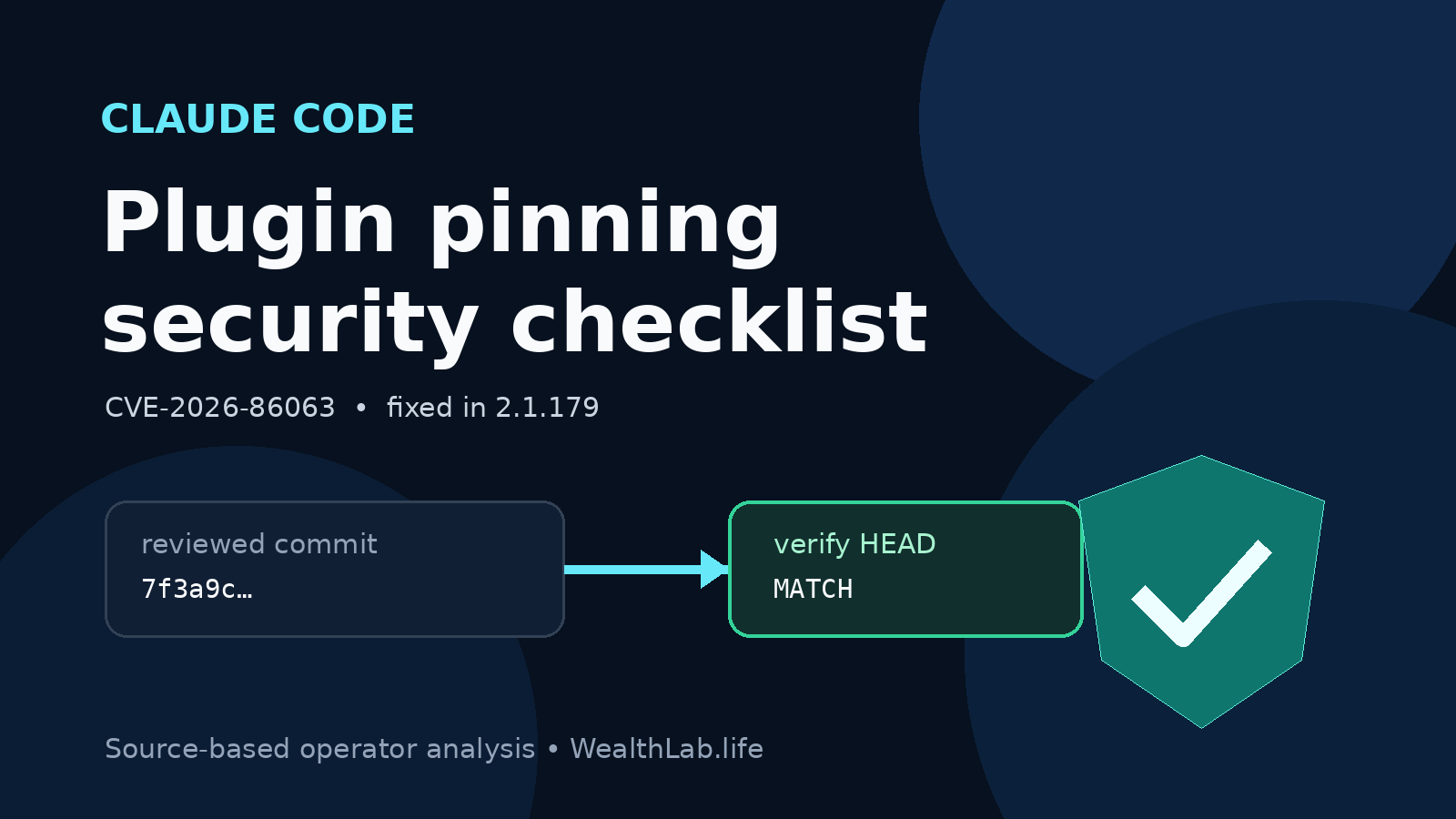
Quick answer: Anthropic disclosed CVE-2026-86063 on October 15, 2026, a high-severity Claude Code and Claude Desktop plugin-install flaw. A malicious plugin repository could use a branch whose name looked like the marketplace's pinned 40-character commit SHA; the vulnerable install flow ran git checkout but did not confirm that the resulting HEAD was the pinned commit. For the published npm package advisory, Claude Code versions before 2.1.179 are affected and 2.1.179 is the first patched version. Standard Claude Code auto-update users should already have received the fix, but operators should verify the version actually running, update manual or centrally managed installs, inventory installed plugins, and investigate any untrusted plugin source before rotating credentials or rebuilding systems.
This is source-based operator analysis published October 18, 2026. WealthLab did not exploit the checkout ambiguity, install a malicious plugin, inspect a production Claude deployment, or validate an incident-response procedure. This article contains no affiliate links.
What the advisory says
The published prerequisite is narrower than “any plugin can bypass a hash.” Exploitation required all of these conditions:
- A user installed a malicious plugin.
- The marketplace entry pinned that plugin to a commit believed to be safe.
- The attacker controlled the plugin's upstream Git repository.
- The Git host permitted a branch name identical to the pinned 40-character SHA.
- The install occurred through a vulnerable Claude Code or Claude Desktop plugin flow.
Under those conditions, Git could resolve the SHA-shaped name to the attacker's branch tip rather than the reviewed commit. Because the old flow did not verify the checked-out HEAD, the plugin's attacker-controlled code could be installed despite the apparent pin. The weakness is therefore a source-integrity failure at plugin installation, not evidence that ordinary model responses, every Git checkout, or every installed plugin were compromised.
| Published fact | Operator meaning |
|---|---|
| Advisory: GHSA-pq7j-f95f-qfcv / CVE-2026-86063 | Use these identifiers when checking security feeds, inventories, tickets, and vendor guidance. |
Affected npm package: @anthropic-ai/claude-code < 2.1.179 | Version 2.1.179 is the documented floor for this package; installing a newer current release is preferable to targeting an old minimum. |
| Severity: high, GitHub CVSS v4 score 7.7 | Prioritize exposed development and automation environments, while retaining the advisory's exploitation prerequisites. |
| Standard auto-update users received the fix | Do not assume delivery equals activation: verify the binary/version used by shells, IDEs, desktops, CI runners, and managed workstations. |
Who should act first?
- Highest priority: developers or automation runners that installed plugins from third-party marketplaces or repositories and expose source-control, cloud, package-registry, deployment, or production credentials.
- High priority: organizations that disabled auto-updates, distribute a pinned binary, use Homebrew, WinGet, apt, dnf, apk, or npm with a separate update cadence, or enforce a delayed release channel.
- High priority: shared workstations and CI systems where plugin code can access valuable repositories, build artifacts, tokens, signing material, or deployment tools.
- Review, not panic: standard auto-update users with only trusted plugins. Confirm the current version and plugin inventory; the vulnerable version alone does not prove malicious installation.
- Likely non-fit for this specific issue: environments that never enabled or installed Claude plugins. They should still verify their actual configuration instead of relying on policy intent.
Update and verify the running version
- Inventory installation paths. Record whether Claude Code came from the native installer, npm, Homebrew, WinGet, apt, dnf, apk, an enterprise software channel, an IDE integration, or a desktop deployment. More than one binary can exist on a workstation.
- Check what the user actually executes. Run
claude --versionin the same shell and account used for work. Also check managed workstations, CI images, remote development environments, and long-lived runners. - Require 2.1.179 or newer. The advisory identifies 2.1.179 as the first patched package version. At publication time, Anthropic's latest public GitHub release was 2.1.302, published October 16, so a normal current update should be well beyond the minimum.
- Use the documented channel. Anthropic documents
claude updatefor native/manual updates, while package-manager installations follow their package manager. Do not replace an enterprise-managed binary behind the administrator's back. - Restart and re-check. Background updates take effect on the next launch. Close active sessions as operationally appropriate, reopen Claude Code, re-run
claude --version, and useclaude doctorto review installation and update diagnostics.
Anthropic's setup documentation says native installations normally update in the background, while Homebrew, WinGet and Linux package-manager installations require their respective update paths by default. An organization can also disable updates or enforce version ranges. That makes the observed running version stronger evidence than the intended policy.
Review plugins and source trust
- List installed and enabled plugins using the supported Claude plugin interface for each user, project, IDE, desktop profile, and automated environment in scope.
- Record marketplace and repository origins. Distinguish Anthropic-managed or organization-controlled sources from third-party repositories. A familiar marketplace name is not enough if its plugin source points elsewhere.
- Prioritize installations made before patching. Review when each plugin was installed or updated, which Claude version performed the install, and whether the source repository was controlled by someone outside your trust boundary.
- Compare expected and obtained source. Where retained marketplace metadata and a local plugin checkout make this possible, compare the intended commit with the checked-out commit and repository history. Preserve a suspicious checkout before removing it.
- Disable or remove uncertain plugins through the supported interface while investigation continues. Updating Claude prevents this published install-path weakness going forward; it does not by itself prove that previously installed plugin content is clean.
Do not run untrusted plugin code merely to “see what it does.” If a repository or local checkout is suspicious, preserve hashes, Git metadata, timestamps, configuration and relevant logs, then analyze it in a controlled investigation environment with appropriate authorization.
When credential rotation is justified
Immediate blanket rotation can disrupt production and destroy useful timelines. Base the scope on evidence and likely access:
- Rotate credentials promptly when a suspicious plugin was installed or executed in a context that could read them, or when logs show unexpected access.
- Prioritize source-control tokens, cloud credentials, package-registry tokens, deployment keys, signing material, MCP/API credentials, and secrets exposed through environment variables or readable files.
- Revoke active sessions or tokens before issuing replacements where supported, then update dependants through the normal secret-management path.
- Review audit logs for token use, repository access, releases, packages, infrastructure changes, and secret retrieval before and after the likely exposure window.
- Do not place replacement credentials back into an environment that still contains an unreviewed plugin or compromised startup path.
If the only finding is an old Claude version with no plugin use, no suspicious source, and no evidence of execution, update and document the review rather than claiming an incident. Vulnerability exposure and confirmed compromise are different states.
Fleet and CI controls
- Set an organization-wide minimum version at or above the fixed release, then move that floor forward through normal patch management rather than leaving it permanently at 2.1.179.
- Keep approved plugin marketplaces and repositories narrow. Treat plugin installation as code execution, not as a cosmetic editor preference.
- Separate development credentials from production authority and give CI runners only the short-lived, scoped access needed for each job.
- Record Claude Code and plugin versions in workstation or runner inventory so future advisories can be scoped without asking every user from scratch.
- Test update deployment on a representative non-production group, but do not delay a clearly applicable security fix solely to create an elaborate benchmark.
Rollback and recovery boundaries
A functional regression after upgrading may justify a controlled rollback, but rolling below 2.1.179 restores the published vulnerability. Prefer moving to a newer corrected release or temporarily disabling plugin installation and untrusted plugins while support investigates. If rollback is unavoidable, document the exception, restrict plugin sources, reduce credentials and network reach, monitor the affected environment, and set an expiry for the exception.
Reinstalling Claude Code is not a complete incident response if attacker-controlled plugin code already ran. Recovery may require removing persistence, rebuilding a development image or workstation, restoring trusted configuration, rotating exposed credentials, and reviewing downstream repositories and deployments. The evidence required depends on what the plugin could access; WealthLab did not validate such a recovery.
What not to conclude
- Do not claim that all Claude Code plugins, marketplaces, or Git hosts are malicious.
- Do not infer compromise solely from a version below 2.1.179.
- Do not treat a pinned commit as sufficient supply-chain protection when the installer fails to verify the resulting object.
- Do not assume an auto-update completed, activated, or covered a second installation without checking the running version.
- Do not publish suspicious plugin names, credentials, repository URLs, or customer data before validating the evidence and disclosure obligations.
Evidence boundary and corroboration
WealthLab compared Anthropic's GitHub security advisory, the public 2.1.179 release record, the newer 2.1.302 release record, GitHub's advisory database entry, and Anthropic's current setup/update documentation. The advisory and GitHub database agree on the package range, first patched version, prerequisites, impact, identifier and publication date. NVD exposed a page for CVE-2026-86063 but its browser page was still loading and its API returned HTTP 406 during this review, so WealthLab did not rely on an NVD-enriched score or configuration. No independent technical reproduction or in-the-wild incident report was found. The article therefore does not claim exploitation, quantify prevalence, or assert that a specific installation is clean.
Related WealthLab guides
- How to Install Hermes Agent on Linux Safely — a separate agent-install guide emphasizing source inspection and bounded evidence.
- VPS Firewall Setup for Docker Apps — limit remote exposure and preserve rollback access.
- Docker VPS Production Checklist — secrets, updates, monitoring, backups, and recovery planning.
- Ghost Docker Backup and Restore Guide — recovery evidence and validation boundaries.
Sources checked October 18, 2026
- Anthropic security advisory GHSA-pq7j-f95f-qfcv — affected package range, first patched version, exploitation prerequisites, severity and CVE.
- Claude Code 2.1.179 release — public release existence and date; its general notes do not enumerate this security fix.
- Claude Code 2.1.302 release — latest public release observed during this review.
- Claude Code setup and update documentation — version checks, auto-update behavior, manual update and package-manager paths.
- GitHub Advisory Database entry — database-level corroboration of the published advisory fields.