Best VPS for Docker Apps: Sizing and Provider Guide
Choose a VPS for Docker by RAM, CPU behavior, storage, region, recovery, and operating burden—not by provider logo or an unrealistic minimum.
Disclosure: WealthLab.life may earn a commission when you register through some links on this page, at no additional cost to you.
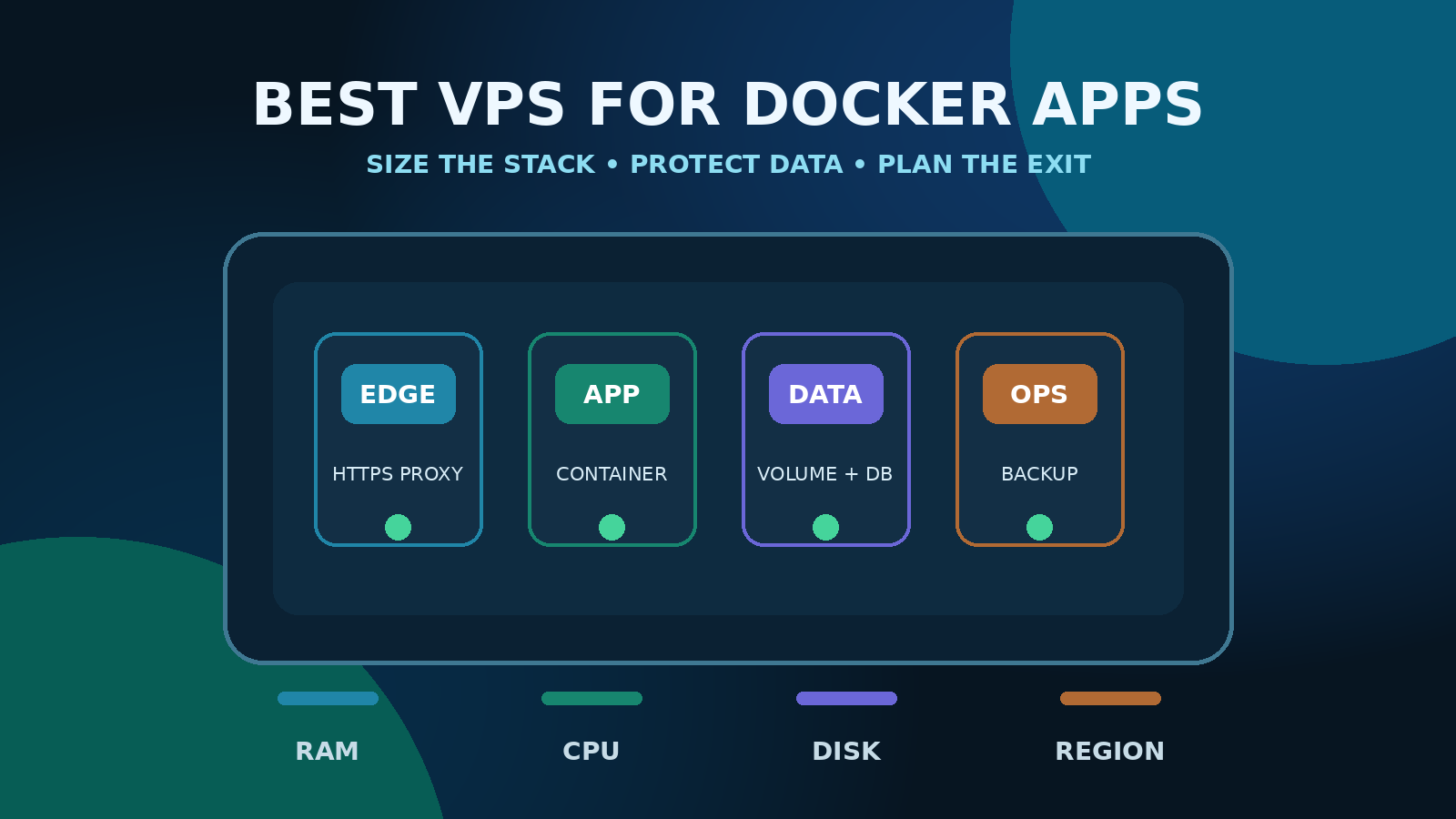
The best VPS for Docker apps is not a single provider or plan. Choose a Linux VM with enough memory for the entire stack, storage you can back up and restore, a nearby region, a usable firewall, and a clear resize or migration path. For a small production web application with a database, 4 GB RAM is a practical starting point; 2 GB can suit a carefully measured lightweight service, while builds, multiple applications, search, analytics, and busy databases often need 8 GB or more.
DigitalOcean and Vultr are both reasonable self-managed options. DigitalOcean is a good default when you value a straightforward Droplet workflow and extensive documentation. Vultr is worth comparing when a particular location or Cloud Compute configuration better fits the workload. This guide has not assigned a benchmark winner: measure your own image, traffic, database, background jobs, and restore process before committing.
Quick answer: choose by workload, not logo
- Learning and disposable development: 1 GB can run a small container, but leave room for the operating system and avoid treating it as a universal production recommendation.
- One lightweight service: start testing at 2 GB when the database is external or modest and traffic is predictable.
- Typical small production stack: 4 GB gives more useful headroom for a reverse proxy, application, database, monitoring, and updates.
- Multiple apps or heavier workers: evaluate 8 GB or more, especially for builds, queues, search, analytics, Java workloads, or memory-hungry databases.
- Sustained CPU: compare dedicated-CPU offerings rather than assuming a shared vCPU will provide consistent throughput.
These are editorial starting points, not provider minimums or measured guarantees. Run the real Compose project under representative load and watch peak memory, CPU saturation, disk latency, disk growth, network transfer, restart behavior, and backup duration.
What a Docker VPS actually needs
Enough memory for the whole system
Do not size from the application container alone. Budget for the Linux host, Docker daemon, reverse proxy, database, cache, workers, scheduled jobs, monitoring, logging, and temporary overlap during deployments. Docker's documentation notes that containers have no resource constraints by default. One runaway process can therefore compete with every other service unless you set and test appropriate limits.
Memory pressure is particularly unforgiving on small hosts. Swap may soften a brief spike, but it is slower than RAM and does not turn an undersized server into a stable one. Check host and container behavior together:
free -h
df -h
docker stats --no-stream
docker compose ps
docker compose logs --tail=100
CPU behavior that matches the workload
Shared CPU can be economical for low-to-moderate or bursty services. A continuously busy API, media encoder, game server, build runner, or queue worker may benefit from dedicated CPU and predictable access. DigitalOcean's plan guidance explicitly distinguishes shared CPU for bursty workloads from dedicated CPU for production, latency-sensitive, or sustained work. Vultr exposes multiple Cloud Compute plan families; compare the current console options in the region you need rather than relying on an old plan table.
Persistent storage with a tested recovery path
A container's writable layer is not a backup. Docker recommends volumes as the preferred mechanism for persistent container data, and volume contents survive removal of an individual container. Map every stateful path, create application-consistent exports for databases, copy backups off the VPS, and perform an isolated restore. Provider snapshots can be a useful additional layer, but they do not replace portable data backups or a tested runbook.
A region close to users and dependencies
Choose the region after considering users, database location, object storage, external APIs, data-residency requirements, and recovery options. A provider with more locations is not automatically faster for your application. Test latency from relevant networks and confirm that the desired compute, storage, backup, and networking features are actually available in the selected region.
Network controls that account for Docker
A useful VPS must let you control inbound traffic, but the design also has to account for Docker's host networking. Docker warns that published container ports can bypass rules managed by tools such as UFW or firewalld. Publish only intentional ports, attach public web services to one reverse proxy, keep databases and dashboards on private Docker networks, and use the host's DOCKER-USER chain when custom packet filtering is required.
Practical RAM tiers for Docker apps
1 GB: lab, proxy, or very small single service
One gigabyte may be enough for a small static service, reverse proxy, VPN endpoint, or development container. It leaves little margin for an on-host database, image builds, control panels, security scanners, or multiple services. If a deployment repeatedly swaps or invokes the out-of-memory killer, move up rather than hiding the signal with aggressive restart policies.
2 GB: constrained lightweight production
Two gigabytes can suit a modest application and proxy when measurements show stable peaks and the database is small or external. Keep logs bounded, avoid building large images on the production host, set health checks, and retain capacity for unattended security updates. Test a rolling or recreate deployment because the old and new application may overlap temporarily.
4 GB: balanced starting point for a small full stack
Four gigabytes is the most useful default starting point for a small business application that includes a proxy, application, relational database, and basic monitoring. It is not a promise that every stack will fit. Java runtimes, headless browsers, large caches, imports, and concurrent workers can exceed it quickly.
8 GB and above: multiple services or heavier data work
Consider this tier when consolidating several applications, running queues and workers, indexing search data, processing media, executing CI jobs, or handling a database with a meaningful working set. At this point, isolate failure domains deliberately: one large VPS is operationally simple, but a single host incident can stop every workload. A managed database or second node may be more valuable than continuing to scale vertically.
DigitalOcean for Docker: where it fits
DigitalOcean Droplets are Linux virtual machines. The current documentation separates shared-CPU choices for bursty or variable work from dedicated-CPU families for sustained or predictability-sensitive workloads. The creation workflow includes region, image, compute, storage, authentication, backup, and network choices; feature availability can vary by configuration and region.
DigitalOcean is a sensible fit when:
- you want a direct VM workflow with strong first-party documentation;
- your application maps cleanly to a Droplet plus optional block storage or managed services;
- you value a documented path from shared to dedicated CPU families; and
- the required region and features are available near users and dependencies.
It is a non-fit when you do not want to patch Linux, understand Docker networking, monitor the service, or own backup recovery. A simple control panel does not make the guest operating system managed.
Vultr for Docker: where it fits
Vultr Cloud Compute provides Linux virtual machines with provisioning, monitoring, firewall, private-networking, backup, snapshot, and resize workflows documented in its product collection. Current options vary by location and plan family, so confirm the exact configuration in the control panel before deployment.
Vultr is a sensible fit when:
- one of its available locations better matches your audience or external dependencies;
- the Cloud Compute family in that location fits your CPU, memory, and storage shape;
- you want to compare its firewall, VPC, snapshot, backup, and monitoring workflow directly; and
- you are comfortable administering the Linux and Docker layers yourself.
It has the same fundamental non-fit as any unmanaged VPS: if nobody owns patching, alert response, secret rotation, and restoration, the apparent infrastructure savings can become operational risk.
DigitalOcean vs Vultr for Docker
- Start with region: eliminate configurations that cannot place compute and required services near the workload.
- Then compare resource shape: shared versus dedicated CPU, RAM, disk type and expansion, transfer, and IPv4/IPv6 needs.
- Compare operations: firewall attachment, VPC behavior, backups, snapshots, console access, monitoring, API and automation.
- Model the full bill: compute, storage, backups, snapshots, transfer, managed databases, IP resources, and tax can matter. Verify current provider calculators instead of copying a price from an article.
- Test portability: keep Compose, application data, secrets inventory, DNS, and restore steps independent enough to rebuild elsewhere.
If both providers meet those checks, choose the workflow your operator can manage reliably. Read the deeper DigitalOcean vs Vultr comparison for provider-level trade-offs.
A safe selection process
1. Inventory the Compose project
List every service, published port, volume, health check, image architecture, build step, and external dependency. Record which components are stateful and whether they can be restored independently. Do not pick a VPS from the marketing description of the main application alone.
2. Measure a realistic load
Run imports, backups, scheduled work, peak concurrent requests, deployment overlap, and failure recovery. Average CPU hides short saturation; average memory hides peaks. Capture at least peak memory, sustained CPU, disk growth, disk latency, and outbound transfer. Add headroom for expected growth and maintenance operations.
3. Choose the smallest sensible tier, not the smallest possible tier
A server that boots successfully is not necessarily production-ready. It must survive updates, backups, traffic spikes, and one failed container without destabilizing the host. Prefer a conservative starting tier with an understood resize path, then resize from measured evidence.
4. Validate the region and feature combination
Confirm the exact operating-system image, architecture, plan, disk, firewall, backup, private-network, and block-storage combination. Some features and newer configurations are not available everywhere. Save the selected configuration in the deployment record.
5. Rehearse migration before lock-in matters
Build from Compose or another reproducible deployment definition. Keep portable database dumps and volume archives, protect environment values, document DNS and external services, and test restoration to a private destination. Provider-specific snapshots should supplement—not replace—this exit path.
Production checklist before choosing either provider
- Use a supported 64-bit Linux release and install Docker from its official repository.
- Restrict SSH, use key-based administration, patch the host, and limit Docker daemon access to trusted operators.
- Expose only deliberate ports; test the real packet-filtering behavior after Docker starts.
- Put TLS and routing at one controlled reverse proxy rather than publishing every container.
- Use named volumes or explicit bind mounts for state, and document ownership and restore order.
- Set memory/CPU policies only after measuring; Docker containers are unlimited by default.
- Bound Docker and application logs so they cannot consume the root filesystem.
- Add health checks that test meaningful application behavior, not only process existence.
- Create database-aware and file backups, store copies off-server, and run an isolated restore drill.
- Monitor public HTTPS, certificate expiry, disk space, memory pressure, container restarts, backup age, and user-visible outcomes.
- Document updates, rollback, provider-console recovery, DNS cutover, and an alternative-host rebuild path.
The Docker VPS production checklist expands each control into a practical launch gate.
Provider links, with context
If you have completed the workload and operations checks, compare the current configuration directly at DigitalOcean and Vultr. These are referral links. Confirm live specifications, availability, and total charges yourself before creating a server.
For a DigitalOcean-specific deployment path, use the Droplet setup checklist for Docker apps. If your workload is Ghost, continue with the Ghost VPS provider and sizing guide.
When a VPS is the wrong choice
Choose a managed application platform, managed database, or specialist host when the team cannot reliably administer Linux, secure Docker networking, monitor incidents, or restore data. Also reconsider a single VPS when the application needs multi-zone availability, autoscaling, regulated controls, a large operations team, or independently scalable stateful services.
Self-management is valuable when control, portability, and cost visibility outweigh the operating burden. It is not automatically cheaper after engineering time, backups, monitoring, and downtime risk are counted.
FAQ
How much RAM does a Docker VPS need?
One small service may fit in 1–2 GB, but 4 GB is a safer starting point for a small full stack with a proxy, application, database, and monitoring. Multiple apps, builds, queues, search, or heavy databases often justify 8 GB or more. Measure the complete workload rather than relying on a generic minimum.
Is shared CPU good enough for Docker?
It can be for bursty, low-to-moderate workloads. Compare dedicated CPU when usage is sustained, latency-sensitive, or commercially important. Load-test the real application because a vCPU count alone does not describe consistency.
Should I run the database in Docker on the same VPS?
It is a simple architecture for a small workload, but the application and database then share memory, disk, and one failure domain. Use application-consistent backups and test restores. Move to a managed or separate database when availability, scaling, or operational requirements justify it.
Are provider backups enough?
No. Keep provider backups or snapshots as one layer, then maintain portable database dumps, volume or file archives, protected configuration, and an off-provider copy. Test a full restore into an isolated environment.
Can I move Docker apps between DigitalOcean and Vultr?
Usually, if the application uses portable images, Compose, portable data exports, documented secrets, and standard DNS/TLS. Provider-specific storage, networking, managed databases, and snapshot formats require an explicit migration plan.
Which provider is cheaper?
There is no durable answer without a dated workload and region. Compare current compute, storage, backups, transfer, managed services, and taxes using official calculators. The lowest listed VM price may not produce the lowest complete operating cost.
Related WealthLab guides
- Docker VPS production launch checklist
- DigitalOcean vs Vultr
- Set up a DigitalOcean Droplet for Docker apps
- Install Ghost with Docker on a VPS
- n8n VPS requirements
- Ghost Docker backup and restore
Before launch, apply the Docker VPS firewall guide to the provider edge, host, and published container ports.
For a provider-specific implementation, follow the Vultr Docker VPS setup guide from provisioning through recovery testing.
Sources checked
- Docker Engine installation on Ubuntu
- Docker resource constraints
- Docker volume documentation
- Docker Engine security
- DigitalOcean Droplet plan guidance
- DigitalOcean Droplet creation documentation
- Vultr Cloud Compute documentation
Official sources reviewed September 6, 2026. No provider benchmark was performed for this article. Sizing tiers are editorial starting points and must be validated against the reader's own workload.